Domain Monitoring Service: WHOIS Change Alerts in Under 10 Minutes

Domain monitoring tracks every WHOIS and RDAP field on a domain and alerts you when something changes. WhoisFreaks watches the registrant, registrar, nameservers, domain status, and expiry date across 1528+ TLDs, with polling configurable from every 10 minutes to every 24 hours. Alerts arrive by email and Telegram, giving you time to contact your registrar, reverse a transfer, or renew before expiry.

Monitoring
pricing backgroundEclipse Top RightEclipse Top Left

Features

Detect Domain Hijacking in the First 10 Minutes

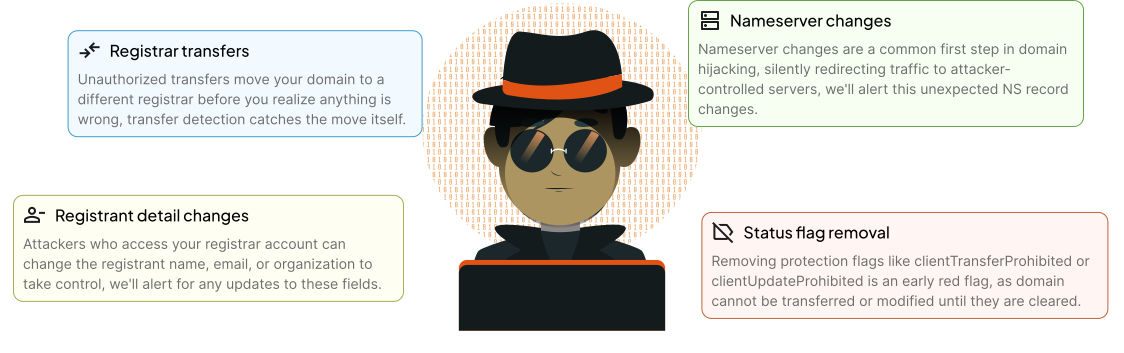
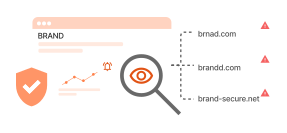
Most domain takeovers leave a visible registration-data signal first: a nameserver swap, a registrant rewrite, or a registrar transfer flagged in the WHOIS status. Domain Monitoring watches all three fields across WHOIS and RDAP and alerts you within 10 minutes, so you can contact your registrar before traffic redirects.

Domain Hijacking

Features

What Domain Monitoring Delivers

Keep track of domains with real-time alerts and changes.

Feature icon

Email Alerts

Get an email the moment a WHOIS field changes. Each alert names the field, shows the old and new value, plus a history link.

Feature icon

Edit Monitors

Edit any monitor at any time. Change polling frequency, alert channels, recipients, or field rules without losing history.

Feature icon

WHOIS Field Exclusion

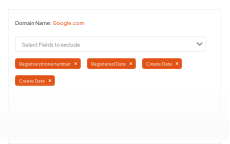
Monitor only the WHOIS fields you care about. Exclude nameservers, contacts, or status codes to cut noise from every alert.

Feature icon

View Historical Results

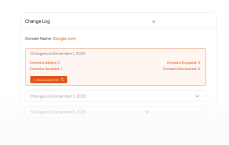
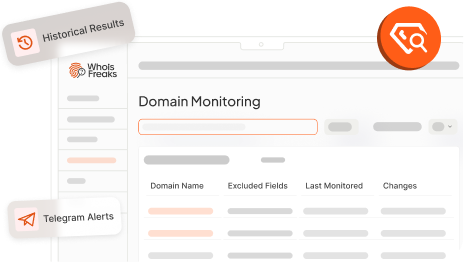
Replay every WHOIS change with timestamp and field-level diff. Search and export the history for compliance or audit needs.

Feature icon

Supported TLDs

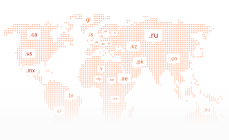
Monitor domains across 1528+ TLDs covering gTLDs like .com and .io, country-code TLDs like .uk and .de, and SLDs like .co.uk

Feature icon

Monitor Frequency

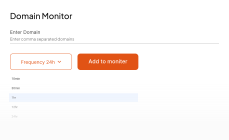
Set polling per monitor: every 10 minutes for high-value domains, hourly for active watchlists, daily for the routine list.

Feature icon

Telegram Alerts

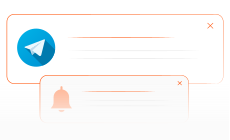
Push WHOIS-change alerts to a Telegram channel or DM in real time, each carrying the field name and before-and-after value.

Feature icon

Ownership Tracking

Get alerted the moment registrant details, registrar, or WHOIS privacy settings change on any domain in your monitor list.

Product

Custom Domain Monitoring

Watch any list of domains with per-domain polling frequency, alert channels, and WHOIS field filters.

Domain Monitoring for Portfolios and Watchlists

Custom Domain Monitoring lets you watch any list of domains, whether you own them or not. Track WHOIS status transitions across active, expired, dropped, and re-registered states. Set polling frequency, alert channels, and field exclusions per domain, and review the full change history in your dashboard.

monitoring

Comparison

How WhoisFreaks Compares

Looking for a domain monitoring service? Here is how WhoisFreaks stacks up against the tools most commonly evaluated alongside it.

WHOIS Monitoring Services Comparison

Features
WHOIS change monitoring
Monitor frequency
Nameserver change alerts
Telegram alerts
TLDs covered
WHOIS field exclusion
Historical monitoring results
Downloadable JSON alerts
Free tier
WhoisFreaks
Every 10 min
1528+
1 Domain
Whois XML API
Daily
1,000+
Trial Only
Uptime.com
Daily
Limited
Trial Only
Other Domain Tools
Daily
Limited
Limited

Use Cases

Domain Monitoring in Action

Six WHOIS-change scenarios security teams, domain owners, and compliance leads set up first.

Feature icon

Domain Hijack Detection

Catch nameserver swaps, registrar transfers, or registrant rewrites within 10 minutes, in time to reverse before redirect.

Feature icon

Pre-Expiry Renewal Alerts

Get notified weeks before a watched domain expires so a missed renewal never costs you traffic, email, or the domain itself.

Feature icon

Drop and Aftermarket Acquisition

Watch target domains through expired, redemption, and deleted status, and register the moment one becomes available again.

Feature icon

Registrar and Transfer Lock Audits

Flag unauthorized registrar transfers or transfer-lock removals across a portfolio to catch rogue moves and account takeover.

Feature icon

Compliance and Audit Evidence

Keep a field-level, timestamped record of every WHOIS change to satisfy SOX, GDPR, ICANN, or change-management audit needs.

Feature icon

Threat Intel and SOC Enrichment

Pipe WHOIS changes on flagged adversary domains into your SIEM or SOAR to correlate infrastructure pivots with live attacks.

Request demo background

Catch domain hijacks, rogue transfers, and attacker pivots within 10 minutes of the WHOIS change.

FAQs

FAQs about tracking domain's WHOIS changes over time and timely alerts.

What is domain Monitoring?

Domain monitoring is a service that continuously tracks the WHOIS record of a domain and alerts you when any field changes, including registrant, registrar, nameservers, status codes, or expiry date. WhoisFreaks Domain Monitoring polls as often as every 10 minutes across 1528+ TLDs and delivers alerts by email and Telegram. It catches domain hijacking, unauthorized transfers, and unintentional expirations early enough for the owner to reverse the change.

How to monitor a domain name?

Monitoring a domain name means continuously tracking its WHOIS record for changes to registrant details, nameservers, domain status codes, registrar, and expiry date. You can do this manually by running periodic WHOIS lookups, but that leaves gaps. An automated domain monitoring service checks your domains on a schedule you define (as frequently as every 10 minutes) and sends you an alert the moment any field in the WHOIS record changes, without any manual effort on your part.

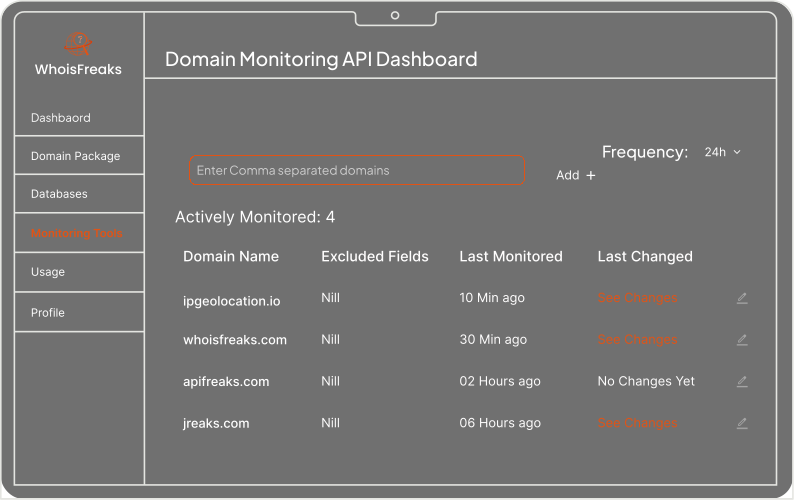
To set up domain monitoring with WhoisFreaks, follow these steps:

  1. Access the billing dashboard by sign-in. select monitoring tools > domain monitoring tab for monitoring.
  2. Enter the domain name you wish to monitor into the provided field. This ensures that any changes to this domain's registration details will be tracked.
  3. Customize the monitor settings according to your preferences. You may have the option to exclude certain fields from monitoring if they are not relevant to you.
  4. Ensure that you have configured email alerts within your monitoring settings. This will ensure that you receive notifications promptly whenever changes are detected.
  5. Once the monitoring is set up, you'll receive email alerts whenever changes occur to the domain's registration details. Review the alerts as they come in and take necessary actions based on the detected changes.

By following these steps, you can effectively monitor your domain name and stay informed about any modifications to its registration information.

What types of changes to a domain's WHOIS record can be monitored?

The domain monitoring service is equipped to track every modification or update within the WHOIS record, spanning registrant contact details, administrative and technical contact details, domain status updates, name server changes, and even occurrences of deletion and re-registration unless explicitly excluded by the user. Collectively, these changes can be early indicators of domain hijacking, unauthorized transfers, or registrar fraud.

How are alerts delivered and how frequently?

Alerts are delivered via email and Telegram. Monitoring frequency is configurable from every 10 minutes to every 24 hours. You choose the interval based on your needs. For high-value domains or security-critical assets, 10-minute checks give near real-time detection of any WHOIS change.

Can I monitor multiple domains simultaneously?

Yes, our domain monitoring service allows you to simultaneously monitor multiple domains, providing you with comprehensive oversight and alerts for each domain.

Which TLDs does Domain Monitoring support?

Domain Monitoring supports 1528+ TLDs, including all major gTLDs (.com, .net, .org, .io, .ai, .dev), country-code TLDs (.uk, .de, .in, .cn, .br, and more), and second-level domains (e.g. .co.uk, .com.au, .com.br). See the full list on the Supported TLDs Page.

How fast are alerts delivered?

Domain Monitoring detects a WHOIS or RDAP change at the next polling interval and dispatches the alert within 60 seconds. With every-10-minute polling enabled, the worst-case lag between a registration-data update and an alert in your inbox or Telegram is approximately 11 minutes.

What is domain hijacking and how does domain monitoring help prevent it?

Domain hijacking occurs when an attacker gains unauthorized control of a domain by modifying its WHOIS record, transferring it to a new registrar, or changing its nameservers without the owner's knowledge. Domain monitoring detects these changes the moment they happen and sends you an alert before the hijacker can fully take over, giving you time to contact your registrar and reverse the change.

How do I get notified when a domain I don't own becomes available?

You can add any domain to your monitor list, including domains you don't own. When the domain's status changes to expired, deleted, or available for registration, you'll receive an instant alert. This is useful for acquiring dropped domains, tracking competitor assets, or registering a domain the moment it becomes available.

Does WhoisFreaks Domain Monitoring use WHOIS or RDAP?

Both. ICANN began transitioning gTLD registration data from WHOIS to RDAP on 28 January 2025. WhoisFreaks queries both protocols and returns normalized fields, so the monitor continues to work whether a registry is on WHOIS, RDAP, or in transition. You receive the same alert format regardless of the source protocol.
Catching a hijack in the first 10 minutes is what reverses it

WhoisFreaks Domain Monitoring polls every WHOIS field as often as every 10 minutes and alerts you the moment a value changes, leaving time to contact your registrar and roll back the change.