DNS Lookup API: Real-Time, Historical & Reverse DNS for Any Record Type

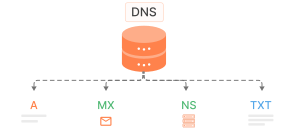
The WhoisFreaks DNS Lookup API resolves any domain or IP address to its current DNS records in real time and also lets you query historical DNS data going back years. Supports all major record types: A, AAAA, MX, NS, TXT, SOA, SPF, CNAME, and PTR. Available as live, historical, reverse, and bulk DNS endpoints. JSON and XML output. Free tier with 500 credits.

curl -L --max-time 3600 "https://api.whoisfreaks.com/v2.0/dns/live?apiKey=API_KEY&domainName=whoisfreaks.com&type=all"
[
  {
    "status": true,
    "queryTime": "2026-09-25 16:21:45",
    "domainName": "whoisfreaks.com",
    "domainRegistered": true,
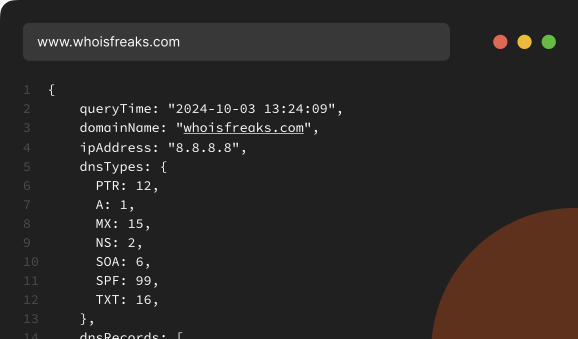
    "dnsTypes": {
      "A": 1,
      "NS": 2,
      "SOA": 6,
      "MX": 15,
      "TXT": 16,
      "AAAA": 28,
      "SPF": 99
    },
    "dnsRecords": [
      {
        "name": "whoisfreaks.com",
        "type": 1,
        "dnsType": "A",
        "ttl": 300,
        "rawText": "whoisfreaks.com.\t300\tIN\tA\t188.114.96.0",
        "rRsetType": 1,
        "address": "188.114.96.0"
      },
      {
        "name": "whoisfreaks.com",
        "type": 1,
        "dnsType": "A",
        "ttl": 300,
        "rawText": "whoisfreaks.com.\t300\tIN\tA\t188.114.97.0",
        "rRsetType": 1,
        "address": "188.114.97.0"
      },
      {
        "name": "whoisfreaks.com",
        "type": 2,
        "dnsType": "NS",
        "ttl": 21600,
        "rawText": "whoisfreaks.com.\t21600\tIN\tNS\talbert.ns.cloudflare.com.",
        "rRsetType": 2,
        "singleName": "albert.ns.cloudflare.com."
      },
      {
        "name": "whoisfreaks.com",
        "type": 2,
        "dnsType": "NS",
        "ttl": 21600,
        "rawText": "whoisfreaks.com.\t21600\tIN\tNS\tsue.ns.cloudflare.com.",
        "rRsetType": 2,
        "singleName": "sue.ns.cloudflare.com."
      },
      {
        "name": "whoisfreaks.com",
        "type": 6,
        "dnsType": "SOA",
        "ttl": 1510,
        "rawText": "whoisfreaks.com.\t1510\tIN\tSOA\talbert.ns.cloudflare.com. dns.cloudflare.com. 2415831067 10000 2400 604800 1800",
        "rRsetType": 6,
        "admin": "dns.cloudflare.com.",
        "host": "albert.ns.cloudflare.com.",
        "expire": 604800,
        "minimum": 1800,
        "refresh": 10000,
        "retry": 2400,
        "serial": 2415831067
      },
      {
        "name": "whoisfreaks.com",
        "type": 15,
        "dnsType": "MX",
        "ttl": 300,
        "rawText": "whoisfreaks.com.\t300\tIN\tMX\t0 whoisfreaks-com.mail.protection.outlook.com.",
        "rRsetType": 15,
        "target": "whoisfreaks-com.mail.protection.outlook.com.",
        "priority": 0
      },
      {
        "name": "whoisfreaks.com",
        "type": 16,
        "dnsType": "TXT",
        "ttl": 300,
        "rawText": "whoisfreaks.com.\t300\tIN\tTXT\t\"google-site-verification=s0lTTBfSePwOO7LWlSND2ulZUfz7h-BE15H2llWem2A\"",
        "rRsetType": 16,
        "strings": [
          "google-site-verification=s0lTTBfSePwOO7LWlSND2ulZUfz7h-BE15H2llWem2A"
        ]
      },
      {
        "name": "whoisfreaks.com",
        "type": 16,
        "dnsType": "TXT",
        "ttl": 300,
        "rawText": "whoisfreaks.com.\t300\tIN\tTXT\t\"google-site-verification=ArWP3KvRFCLXdW6rnUfCYNBmI4LMNQjx9_XoCM0It1w\"",
        "rRsetType": 16,
        "strings": [
          "google-site-verification=ArWP3KvRFCLXdW6rnUfCYNBmI4LMNQjx9_XoCM0It1w"
        ]
      },
      {
        "name": "whoisfreaks.com",
        "type": 16,
        "dnsType": "TXT",
        "ttl": 300,
        "rawText": "whoisfreaks.com.\t300\tIN\tTXT\t\"zoho-verification=zb15766004.zmverify.zoho.com\"",
        "rRsetType": 16,
        "strings": [
          "zoho-verification=zb15766004.zmverify.zoho.com"
        ]
      },
      {
        "name": "whoisfreaks.com",
        "type": 16,
        "dnsType": "TXT",
        "ttl": 300,
        "rawText": "whoisfreaks.com.\t300\tIN\tTXT\t\"MS=ms61960317\"",
        "rRsetType": 16,
        "strings": [
          "MS=ms61960317"
        ]
      },
      {
        "name": "whoisfreaks.com",
        "type": 16,
        "dnsType": "TXT",
        "ttl": 300,
        "rawText": "whoisfreaks.com.\t300\tIN\tTXT\t\"paddle-verification=ba8cd073\"",
        "rRsetType": 16,
        "strings": [
          "paddle-verification=ba8cd073"
        ]
      },
      {
        "name": "whoisfreaks.com",
        "type": 16,
        "dnsType": "TXT",
        "ttl": 300,
        "rawText": "whoisfreaks.com.\t300\tIN\tTXT\t\"postman-domain-verification=e46f56094f824fa4442bb83a20e736b4a499d471372b8b644b2ecf953d0574aab12ce01f7d0a1c9793ab084c9067e274d6ca04e41051292fcb85272c8016370f\"",
        "rRsetType": 16,
        "strings": [
          "postman-domain-verification=e46f56094f824fa4442bb83a20e736b4a499d471372b8b644b2ecf953d0574aab12ce01f7d0a1c9793ab084c9067e274d6ca04e41051292fcb85272c8016370f"
        ]
      },
      {
        "name": "whoisfreaks.com",
        "type": 16,
        "dnsType": "TXT",
        "ttl": 300,
        "rawText": "whoisfreaks.com.\t300\tIN\tTXT\t\"tvv0ezkqd4\"",
        "rRsetType": 16,
        "strings": [
          "tvv0ezkqd4"
        ]
      },
      {
        "name": "whoisfreaks.com",
        "type": 28,
        "dnsType": "AAAA",
        "ttl": 300,
        "rawText": "whoisfreaks.com.\t300\tIN\tAAAA\t2a06:98c1:3120:0:0:0:0:0",
        "rRsetType": 28,
        "address": "2a06:98c1:3120:0:0:0:0:0"
      },
      {
        "name": "whoisfreaks.com",
        "type": 28,
        "dnsType": "AAAA",
        "ttl": 300,
        "rawText": "whoisfreaks.com.\t300\tIN\tAAAA\t2a06:98c1:3121:0:0:0:0:0",
        "rRsetType": 28,
        "address": "2a06:98c1:3121:0:0:0:0:0"
      }
    ]
  }
]
google.com
apple.com
stripe.com
apifreaks.com

pricing backgroundEclipse Top RightEclipse Top LeftEclipse WHOIS Stats

Our Products

What Is a DNS Lookup API?

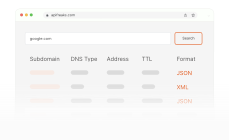
A DNS lookup API is an HTTP endpoint that returns a domain or IP address's DNS records as structured JSON or XML, so you can query them from code instead of running dig or nslookup by hand. For the concepts behind each record type, see our complete DNS guide.
Live DNS
Historical DNS
Reverse DNS
What Is a Live DNS Lookup API?

A live DNS lookup API resolves a domain's current DNS records in real time. WhoisFreaks queries authoritative servers directly, not a cache, and returns A, AAAA, CNAME, MX, NS, TXT, SPF, SOA, and PTR records with no data latency. Use it for monitoring, troubleshooting, email authentication checks, and security investigations. To check one domain without an API key, the free MX lookup tool returns the same MX data in the browser.

Our Product

Product

Bulk DNS API

Monitor, Analyze, and Secure Domains and Networks with the Bulk DNS API.

Bulk DNS Lookup API

The Bulk DNS Lookup Tool lets you perform DNS lookups for multiple domains in a single query. Process up to 100 domains per request or upload files up to 3 million to retrieve live and historical A, AAAA, MX, NS, TXT, SPF, CNAME, and SOA records, delivered via email in JSON or CSV format.

monitoring

Features

What our DNS APIs Provide

Monitor infrastructure, secure domains, and read real-time DNS records over one API.

Real Time Data

Real Time Data

Access real-time DNS data for any domain name using live DNS lookup. We fetch details directly from live servers, not cache.

Historical DNS Records

Historical DNS Records

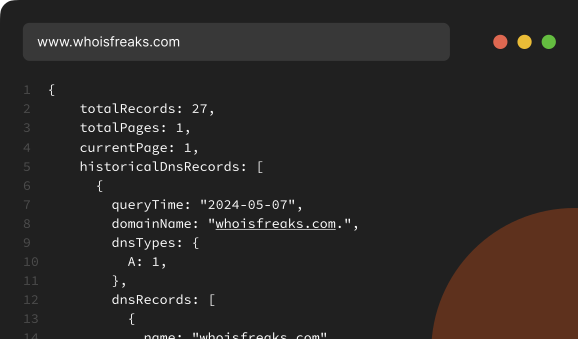
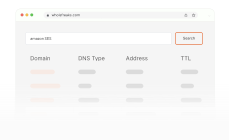
Retrieve historical DNS records (A, AAAA, MX, and more) for a domain, read from database and returned in a paginated format.

Record based lookup

Record based lookup

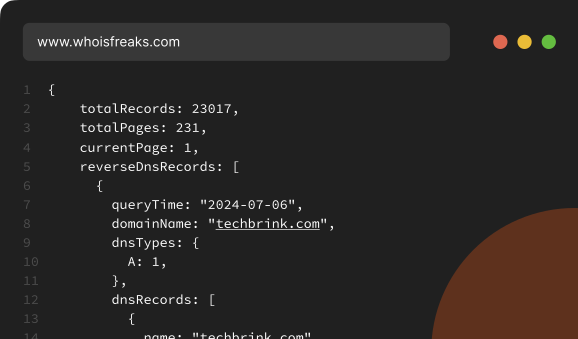
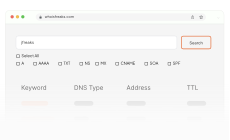
Perform reverse DNS lookups to find specific DNS records, including A, AAAA, TXT, NS, MX, SOA, SPF, and CNAME records.

Bulk DNS Lookup

Bulk DNS Lookup

Run DNS lookups for many domains in one request and get their live or historical records back together in one job.

Supported Formats

Supported Formats

Get DNS records in JSON or XML, ready to drop into any stack, database, or third-party tool you run.

IP-to-Domains Lookup

IP-to-Domains Lookup

Pivot from an IP to all associated domains for fast infrastructure mapping, attack patterns and threat investigation.

Email Provider Lookup

Email Provider Lookup

Identify domains using providers like Postmark or Amazon SES via mail-related DNS signals like MX and SPF records.

CDN Provider Lookup

CDN Provider Lookup

Find domains that are using services like Cloudflare by pivoting on DNS infrastructure patterns such as nameservers.

Product

DNS Database

Downloadable DNS records for network security research and infrastructure mapping

DNS Database

Our DNS database provides detailed information on domains, including A, AAAA, CNAME, MX, NS, SPF, SOA, and TXT records. You can download DNS database for specific record types or access our Active Domain Database for currently active domains. We also offer custom DNS databases tailored to your unique requirements.

monitoring

Use Cases

DNS in Action

How security and domain teams use the DNS API to investigate and mitigate threats

Network Diagnostics

Network Diagnostics

Use Reverse DNS Lookup to retrieve historical NS, MX, TXT, SPF, SOA, and CNAME records for any given keyword.

Penetration Testing

Penetration Testing

Our DNS APIs help pentesters to map online presence and identify threats. Ideal for reconnaissance, asset discovery, and monitoring.

Threat Intelligence

Threat Intelligence

DNS APIs track malware, DDoS, and suspicious traffic, with domain threat feeds scoring the IOCs daily.

Email Verification

Email Verification

Reverse DNS lookup APIs validate email senders to prevent spam and ensure authenticity by pivoting on MX and SPF records.

Domain Research

Domain Research

DNS APIs provide historical DNS records to track domain changes, ownership, and infrastructure over time.

Competitive Analysis

Competitive Analysis

Map a competitor's nameservers, mail providers, and CDN hosting from their DNS records, and track infrastructure changes over time.

Request demo background

Use DNS API to access live and historical DNS records, perform bulk lookups, validate emails, and monitor networks for security, compliance, and investigations.

Integrations

Integrations SDKs, No-Code Tools, and SIEMs

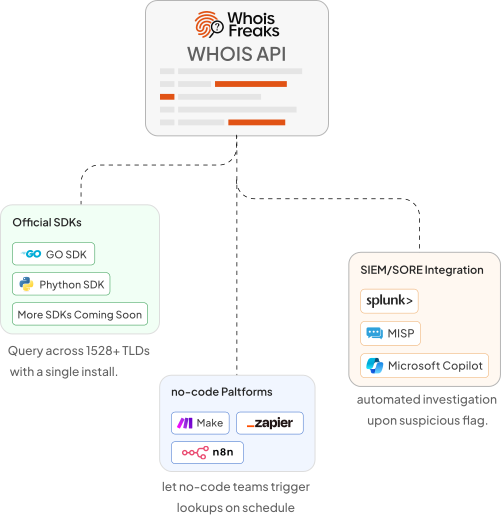
The WhoisFreaks DNS Lookup API ships with official Python and Go SDKs so you can query live, historical, and reverse DNS records with a single import and no HTTP boilerplate.

Zapier, Make, and n8n let no-code teams trigger DNS checks on schedule and route results to Slack, Google Sheets, or any downstream tool without writing code.

Security teams pipe DNS responses directly into Splunk, Microsoft Sentinel, and SOAR playbooks to enrich alerts with live record data and flag nameserver, MX, or A record changes on every check.

Integration Workflow
DNS Database

DNS Database

Download 18.3B+ DNS records for 6.5B+ hostnames when querying one domain at a time is far too slow.

DNS Database
SSL Certificate API

SSL Certificate API

Check the TLS certificate, full chain, issuer, and expiry date for every hostname that you resolve.

SSL Certificate API
Subdomain Finder API

Subdomain Finder API

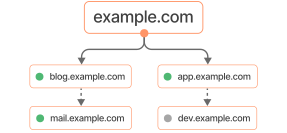
Find every active and inactive subdomain behind a domain before you resolve all their DNS records.

Subdomain Finder API

FAQs

FAQs about the DNS API: record types, coverage and api-limits.

What is the DNS?

The Domain Name System, or DNS, is a system that translates domain names to Internet Protocol (IP) addresses so browsers can load resources from the Internet.

What is a DNS lookup API?

A DNS lookup API lets you query the Domain Name System programmatically. You send an HTTP request with a domain name and a record type, and the API returns the matching DNS records as JSON or XML. The WhoisFreaks API covers A, AAAA, MX, NS, TXT, SOA, SPF, CNAME, and PTR records across live, historical, reverse, and bulk endpoints.

Is there a free DNS lookup API?

Yes. New accounts include 500 free API credits with no credit card required. Free credits are rate-limited to 10 requests per minute on live endpoints, so you can test live, historical, reverse, and bulk DNS lookups before choosing a paid plan.

How is the live DNS endpoint different from the historical endpoint?

The live endpoint queries authoritative name servers and returns current records with no data latency. The historical endpoint returns every unique record WhoisFreaks has stored for a domain plus the latest data. Newly registered domains and newly found subdomains are resolved daily; the rest of the database is re-resolved on a rolling cycle that completes in about a month, so a given domain's latest snapshot can be up to a month old.

Which DNS record types are supported?

A, AAAA, MX, NS, SOA, SPF, TXT, and CNAME records are supported for domains across live, historical, reverse, and bulk endpoints. For an IP address the API returns the PTR (reverse DNS) record.

Are DNS record types case sensitive?

No, DNS record types are not case sensitive.

What is meant by Live Lookup endpoint and how much data latency does it offer?

Our Live Lookup API offers real-time access to various endpoints, including domain whois, SSL and DNS data. By directly connecting to authoritative sources, this API ensures that you receive the most current and up-to-date information, eliminating data latency.

What type of data do you provide in Historical API endpoint and how often is it updated?

Our Historical API offers a blend of up-to-date information and comprehensive unique historical data. We will provide all previous unique records related to that domain along with the latest data. We resolve newly registered domains and newly discovered subdomains daily, and re-resolve the existing database on a rolling cycle that finishes in about a month, so for an established domain the latest stored snapshot can be up to a month old.

How to perform Bulk DNS lookup?

To perform Bulk DNS lookup, follow these steps:

  1. Visit Bulk DNS lookup API tool.
  2. Enter the domain names in the provided input box, with each domain on a separate line.
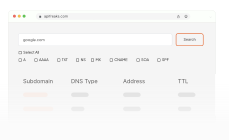
  3. Select the desired DNS records from the available checkboxes (e.g., NS, A, CNAME, MX, etc.). You can also choose 'ALL' to retrieve all available DNS records for each domain.
  4. Click the search button to initiate the lookup process.
  5. Upon successful completion of the request, you will receive the DNS information for the requested domain names.

By following these steps, you can efficiently retrieve DNS records for multiple domains simultaneously using the Bulk DNS lookup tool.

What is the minimum number of domain names needed for bulk DNS lookup?

Bulk DNS API tool allows you to query up to 100 domains at once. You can input any number of domains, from 1 to 100, with each domain on a separate line, to retrieve their respective DNS lookup information.

What does the dnsTypes object in the response mean?

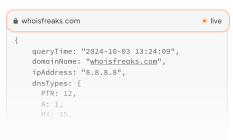
DnsTypes maps each record type present to its IANA resource-record type code, not to a count: A is 1, NS is 2, SOA is 6, PTR is 12, MX is 15, TXT is 16, AAAA is 28, SPF is 99. The same code appears as the numeric type field on every record in dnsRecords.

Which TLDs are supported by your system?

All available TLDs and their sub-domains are supported by DNS lookup API.

Do you have notification service when API credits are near to an end?

Yes, we will inform you via an email. We send notification email on 80%,90%,100% usage. You can get credits/ subscription usage information from our billing portal or through API.

What happened if API credits have been utilized and my system is using WHOIS API?

We provide surcharge requests on all active API credits subscriptions. You can fetch credits and surcharge requests information through our API. Each subscription plan has different surcharge requests limit.

Do you charge credit on 4xx error status codes in response?

No, We do not charge credits on 4xx status codes in response. All WHOIS APIs follow same rule for 4xx status codes in response.

What is the number of free API credits available for new users, and are these credits rate-limited?

We will provide 500 API credits to new users and yes, those credits have a rate-limiting of 10 requests per minute for Live APIs, 5 requests per minute for Bulk Domain Lookup, and 1 request per minute for Reverse/Historical Endpoints.

Do you have rate limiting on number of requests being made on your paid plans?

Yes, we have rate limiting on requests being made on all of our paid plans. The requests limit is shown in the following table.

The Table is divided into three types of plans:

1) API Credits

Credits Live-rpm Bulk-rpm Historical/Reverse-rpm
5000 20 8 3
15000 35 12 5
50000 80 20 10
150000 120 25 15
450000 150 35 20
1000000 200 50 25
3000000 300 70 35

2) API Subscription

Credits Live-rpm Bulk-rpm Historical/Reverse-rpm
5000 20 8 3
15000 35 12 5
50000 80 20 10
150000 120 25 15
450000 150 35 20
1000000 200 50 25
3000000 300 70 35
  • Live-rpm: API requests per minute limit for live WHOIS lookup API, domain availability API, SSL certificate lookup API, and DNS lookup API endpoints.
  • Bulk-rpm: API requests per minute limit for bulk domain WHOIS lookup API endpoint.
  • Historical/Reverse-rpm: API requests per minute limit for the historical and reverse DNS API endpoints.

In case, the request per minute exceeds, it'll throw an error with HTTP error code of 429.

Do you provide any headers in API response regarding rate limiting?

Yes, there are following three header parameters in the response:
  • X-RateLimit-Allowed-Requests: Tells the max allowed API requests per minute on a specific plan.
  • X-RateLimit-Remaining-Requests: Tells the remaining API requests per minute for that plan.
  • X-RateLimit-Remaining-Time: Tells after how much time the API requests per minute will be reset.

How is the DNS Lookup API different from running nslookup or dig?

nslookup and dig return text from whichever resolver your machine happens to use. The WhoisFreaks DNS Lookup API queries authoritative nameservers directly and returns structured JSON or XML for all major record types in one call, so you can parse results in code and run them at scale.

Can I get DNS records for many domains in one request?

Yes. The bulk endpoint accepts up to 100 domains per request, or file uploads for larger jobs, and returns live or historical records together in one response.