
Tip: Not sure which date to use? The Database Files Status endpoint returns the last_update and available_from dates for daily, weekly, and monthly DNS database snapshots, so you can verify freshness before triggering a download.
Date parameter is optional. The most recent data will be fetched if the link doesn't have a date specified. If you choose to provide a date, use the format (yyyy-MM-dd). To find out the latest available file date and the earliest snapshot still hosted, use the Database Files Status endpoint.







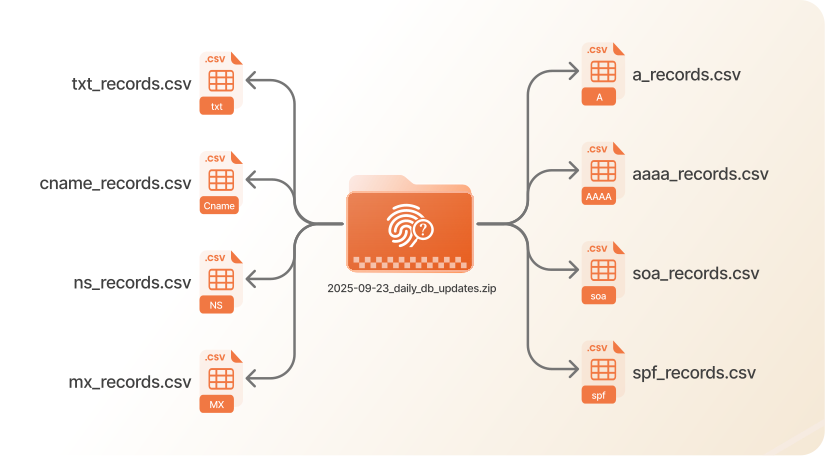
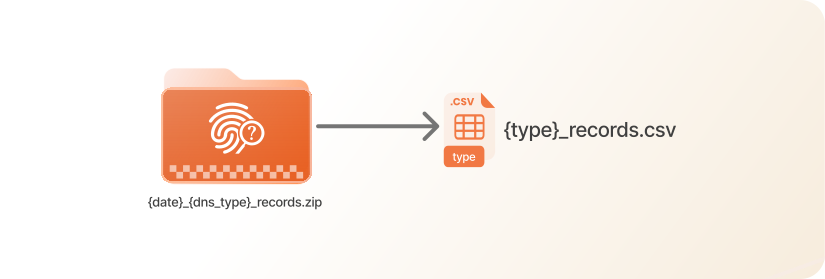
File Extension: The API returns the result as a zip-compressed file (.zip) for efficient download and storage. To extract the file, follow this tutorial.
number3143424stringinterfaithdialog.comstring (YYYY-MM-DD)2024-09-18string (YYYY-MM-DD)2024-09-18string172.233.38.245number3600number393408stringsovilok.comstring (YYYY-MM-DD)2024-09-18string (YYYY-MM-DD)2024-09-18string2606:4700:3033::6815:1234number60number493457stringamericanbitch.comstring (YYYY-MM-DD)2024-09-18string (YYYY-MM-DD)2024-09-18stringwhoisfreaks.com.number10800number593434stringcheachea.comstring (YYYY-MM-DD)2024-09-18string (YYYY-MM-DD)2024-09-18stringmx.zoho.comnumber10number21600number2066580stringchinatouring.comstring (YYYY-MM-DD)2024-09-18string (YYYY-MM-DD)2024-09-18stringdns7.cloudns.net.number3600number829153stringamericankilts.comstring (YYYY-MM-DD)2024-09-18string (YYYY-MM-DD)2024-09-18stringsupport.cloudns.netstringdns3.cloudns.netnumber2024091202number7200number1800number1209600number3600number454812stringcheachea.comstring (YYYY-MM-DD)2024-09-18string (YYYY-MM-DD)2024-09-18stringv=spf1 mx include:spf.mtasv.net -allnumber3600number195545stringpointe.homesstring (YYYY-MM-DD)2024-09-18string (YYYY-MM-DD)2024-09-18stringpaddle-verification=ba8cd073number1800