
Guide
Understanding the DNS A Record: What are they and how they power the web

Written By Qasim, WhoisFreaks Team Published: December 11, 2025, Last Updated: August 26, 2026
Guide
Written By Qasim, WhoisFreaks Team Published: December 11, 2025, Last Updated: August 26, 2026
Every time you type a domain name into your browser, a complex process unfolds behind the scenes to connect you to the right website. At the heart of this process lies the DNS a record - the most fundamental building block of internet navigation. Without these critical dns records, the seamless browsing experience we take for granted would be impossible.
A DNS A Record serves as the essential bridge between human-readable domain names and the numerical IP address that computers use to communicate. Understanding how these address record components work is crucial for anyone managing websites, configuring servers, or troubleshooting connectivity issues. This comprehensive guide covers everything you need to know about DNS A records.
In the early days of the internet, during the ARPANET era, a file called hosts.txt stored mappings of domain names to IP addresses, but this approach quickly became unsustainable. With the introduction of DNS, this file was replaced by the DNS A record, first defined in RFC 1034 and 1035 in 1987. Each A record stores an IPv4 address, linking DNS names to IP addresses within a massive, globally distributed database.
The "A" in A record stands for "address" and stores the IPv4 address associated with a hostname. When users enter a domain into their browser, the DNS A record provides the corresponding IP address, allowing their computer to locate and connect to the correct web server.
The DNS A Record is one of the most fundamental types in the DNS infrastructure. It stores a 32-bit (4-byte) IPv4 address, typically represented in dotted-decimal format, such as 192.168.1.1. When transmitted across the internet, the address is stored as 4 bytes of binary data to save space. Some IPv4 addresses are reserved for special purposes.
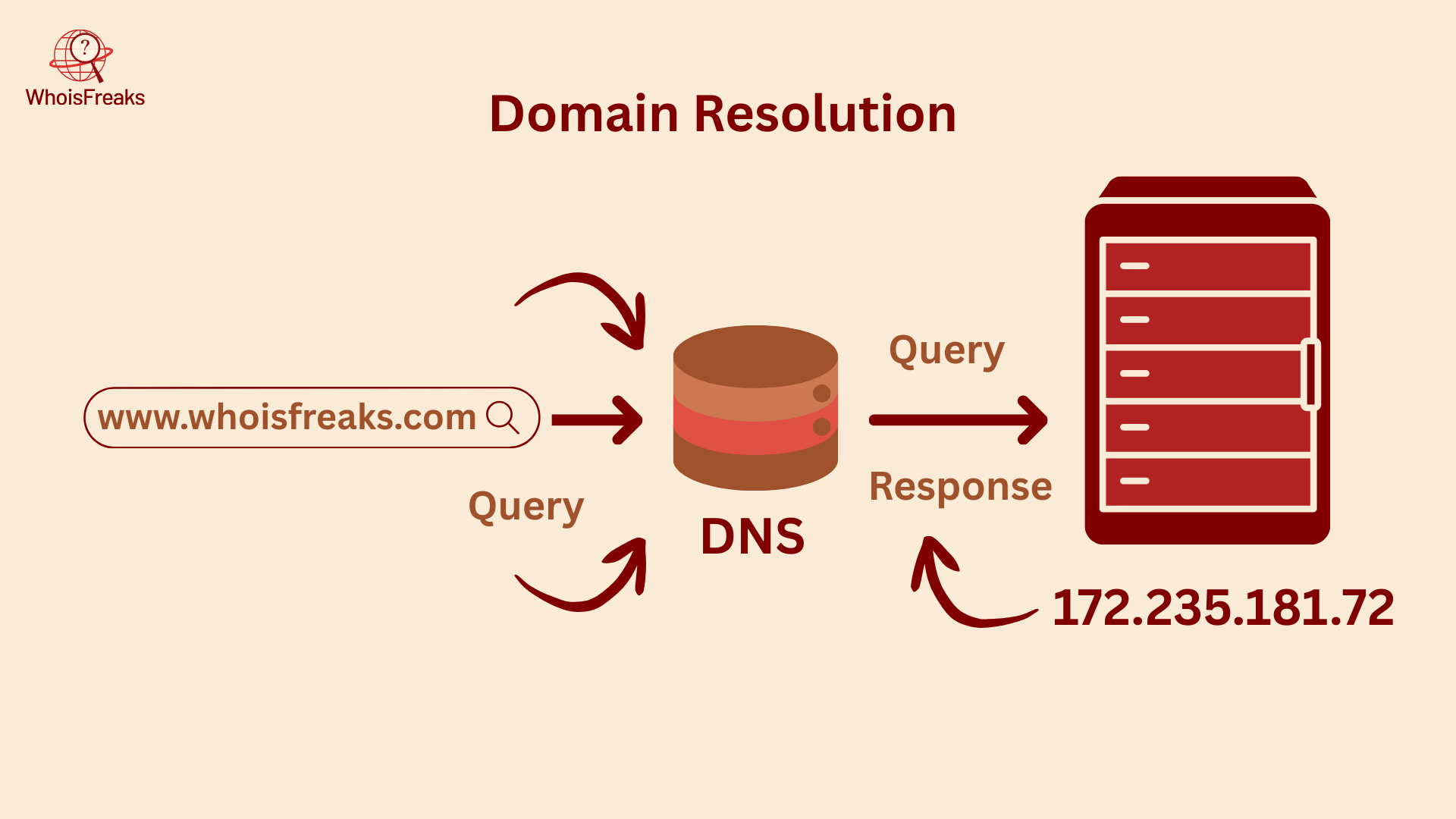
Every DNS A record has a Time-to-Live (TTL) value, measured in seconds, which determines how long a cache should retain the DNS record before fetching it again from the DNS server. DNS Records that change frequently should have a shorter TTL, while more static DNS records can use a longer TTL. Shorter TTLs offer greater flexibility, whereas longer TTLs improve reliability and can reduce latency. TTLs under five minutes should be used sparingly.
A domain or hostname can be associated with multiple IPv4 addresses in DNS for redundancy. This is achieved by creating multiple A records for the domain, which also helps balance the load. The example below shows a domain with multiple A records, each having a TTL of one hour.
An A record stores a 32-bit IPv4 address, while an AAAA record stores a 128-bit IPv6 address. A domain can have both A and AAAA records. A records and aaaa records often coexist for the same domain, ensuring compatibility with both IPv4 and IPv6 clients.
DNS A records have multiple uses, with some of the most prominent being load balancing, DNSBL, anycast addressing, and storing subnets in DNS.
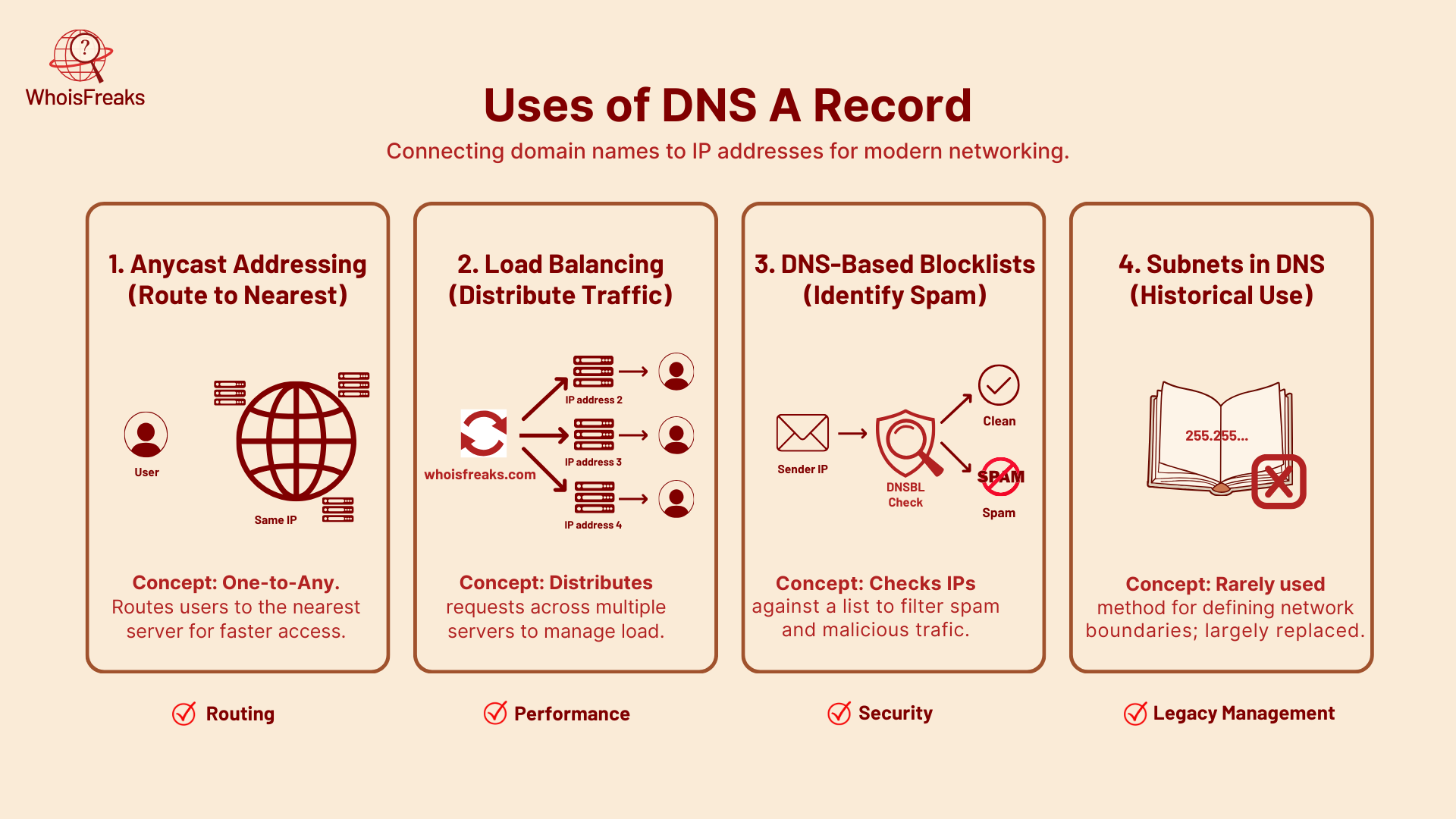
Unicast is a one-to-one addressing method, where user requests for DNS records, such as an A record, are served by the same server every time. Anycast, on the other hand, is one-to-any; user requests are routed to one of multiple servers sharing the same IP address, allowing responses from the nearest or best-performing server.
Anycast is now widely used, allowing a single IP address to represent multiple servers. Client requests to an Anycast address are automatically routed to the nearest datacenter, with additional addresses often published for redundancy. This setup reduces DNS message size, improves latency, simplifies DNS management, and ensures clients always reach the closest server. Like Unicast addresses, Anycast addresses are stored in A records, as DNS treats both the same.
A domain can have multiple DNS A records. In DNS round-robin load balancing, different address records are served each time the record is queried.
All records are accessible to multiple clients simultaneously, helping distribute the load across servers. In some setups, a specific DNS A record may be served based on the server’s current load. Due to DNS caching, the results are often less than optimal.
A Domain Name System Block List, or DNS Blacklist, is a spam-blocking list that prevents messages from domains or IPs with a history of sending spam.
RFC 1101 once suggested a way to publish subnet masks in DNS by placing an A record at the network’s reverse-lookup entry in the in-addr.arpa zone. The idea was that DNS could describe not just hostnames, but also network boundaries.
This approach never became common practice, since subnet information is now managed through routing and configuration rather than DNS. Still, it’s an interesting example of how early DNS designers experimented with broader uses of the system.
Standard A record format follows RFC 1035 specifications with the structure: "hostname IN A ip_address" where each component serves a specific purpose in the DNS zone file. The hostname field specifies the exact subdomain or domain name, the “IN” indicates Internet class, "A" designates the record type, and the final field contains the target IPv4 address.
A complete A record entry includes several essential components:
Example: A record configuration demonstrates proper syntax:
example.com.		267	IN	A	23.215.0.136
example.com.		267	IN	A	23.215.0.138
example.com.		267	IN	A	23.220.75.232
example.com.		267	IN	A	23.220.75.245
example.com.		267	IN	A	23.192.228.80
example.com.		267	IN	A	23.192.228.84
TTL values typically range from 300 seconds (5 minutes) to 86400 seconds (24 hours) depending on how frequently the record might need updates. A standard recommended ttl of 3,600 seconds (1 hour) balances performance with update flexibility for most use cases. Organizations planning server migrations often temporarily reduce TTL values to 300-900 seconds before making changes, enabling faster dns propagation.
The period after the domain name in formal dns zone files indicates a fully qualified domain name (FQDN), though many dns management interfaces accept entries without the trailing period. Modern dns providers typically handle this formatting automatically, but understanding the proper syntax helps when working with command line tools or raw zone files.
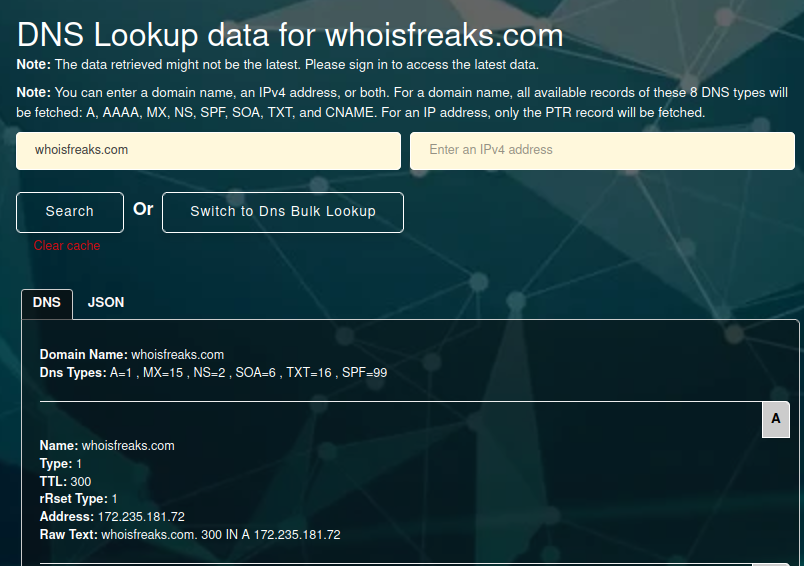
Use the WhoisFreaks DNS A Lookup tool to query DNS A records and receive clean, well-parsed results in JSON, XML, or raw format. Below is a screenshot showing the DNS lookup for the domain whoisfreaks.com.
Use command line tools like nslookup to query A records directly from your operating system’s terminal or command prompt. The nslookup utility comes pre-installed on Windows, macOS, and most Linux distributions, making it universally available for dns troubleshooting. The basic syntax is nslookup domain.com to retrieve A records for a specific domain.
The dig command provides more detailed dns information than nslookup, offering comprehensive output that includes query time, server information, and additional record details. Use dig example.com A to specifically query A records, or simply dig example.com since A records are the default query type. The dig command is particularly useful for system administrators who need detailed DNS analysis.