
Tutorial
How to Delete Your WhoisFreaks Account

Written By Qasim, WhoisFreaks Team Published: September 01, 2026, Last Updated: September 02, 2026
Tutorial
Written By Qasim, WhoisFreaks Team Published: September 01, 2026, Last Updated: September 02, 2026
If you no longer need your WhoisFreaks account, you can delete it yourself from the dashboard - no support ticket required. This guide walks you through the exact flow, shows what happens to your subscriptions and API keys the moment you confirm, and explains the 90-day window in which the account can still be restored.
Deleting your account cancels every active subscription and disables your API keys immediately. If you only want to stop being billed, cancel your subscription instead and keep the account.
Log in to your WhoisFreaks dashboard and open Profile > Account.
This is the same page you use to update your name, company, country, and billing details. Scroll to the bottom of it.
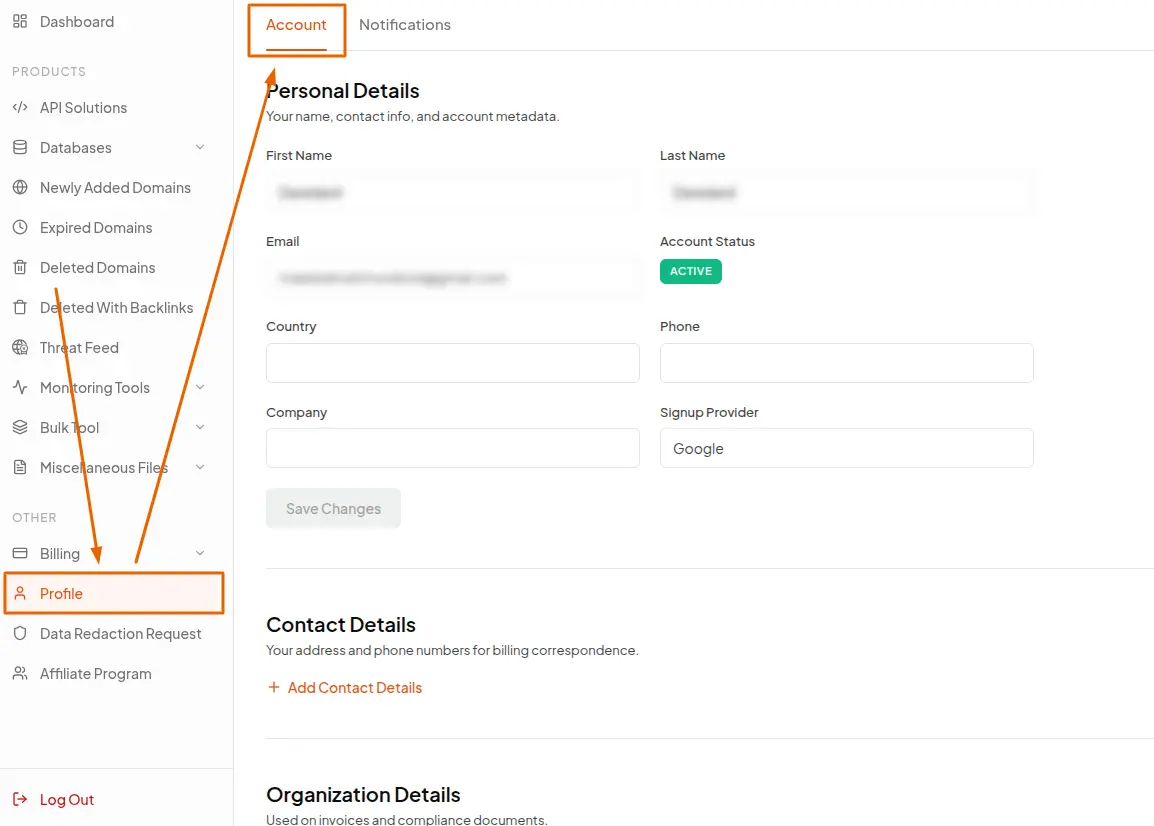
At the very bottom of the Account page, you'll see a red-bordered panel titled Danger Zone, with a warning that reads: "Once you delete your account, there is no going back. All your data, subscriptions, and API keys will be permanently removed."
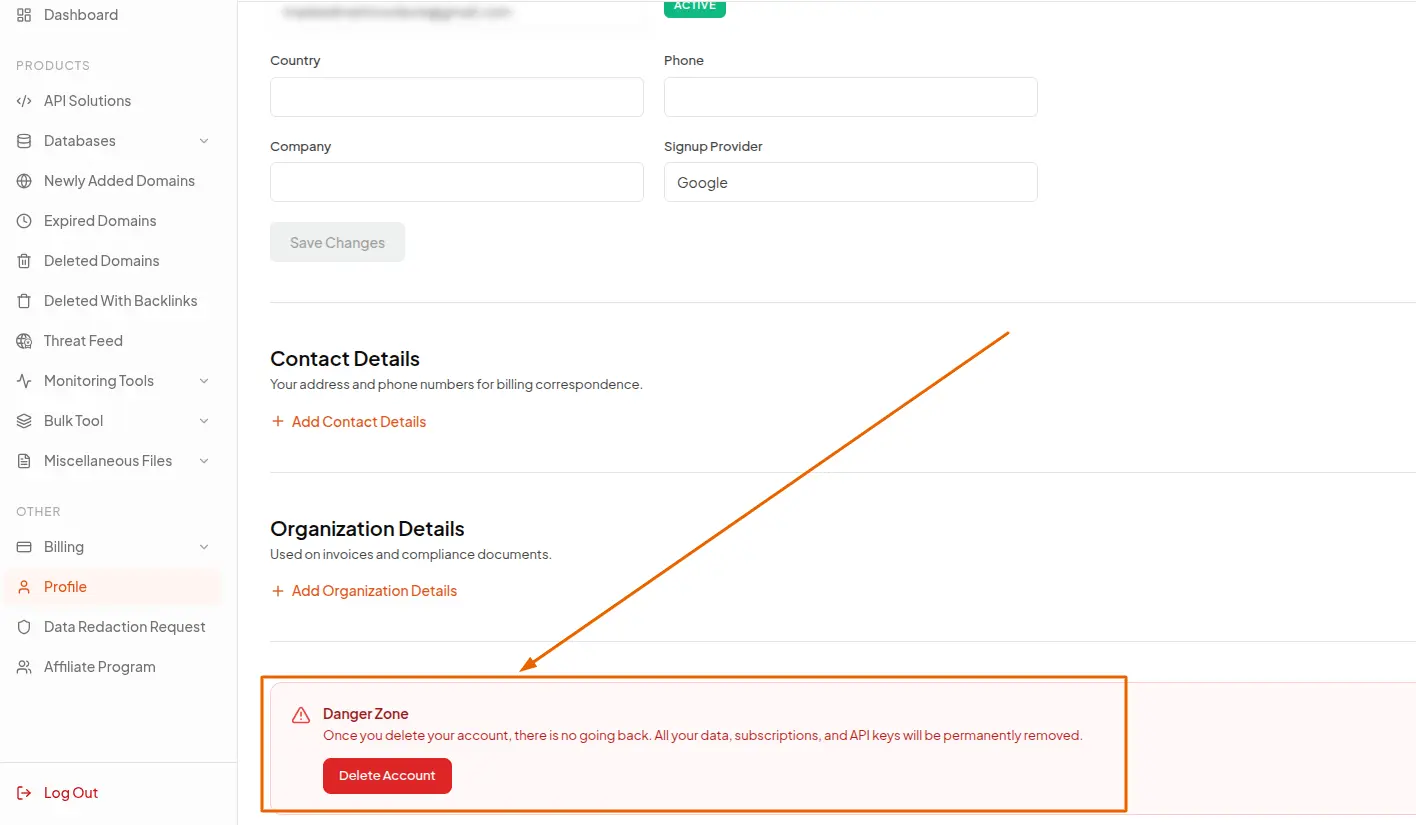
Inside that panel is a single red Delete Account button. Click it.
A modal open headed Delete Account, asking "Are you sure you want to delete your account?" along with a red notice confirming the action is permanent.
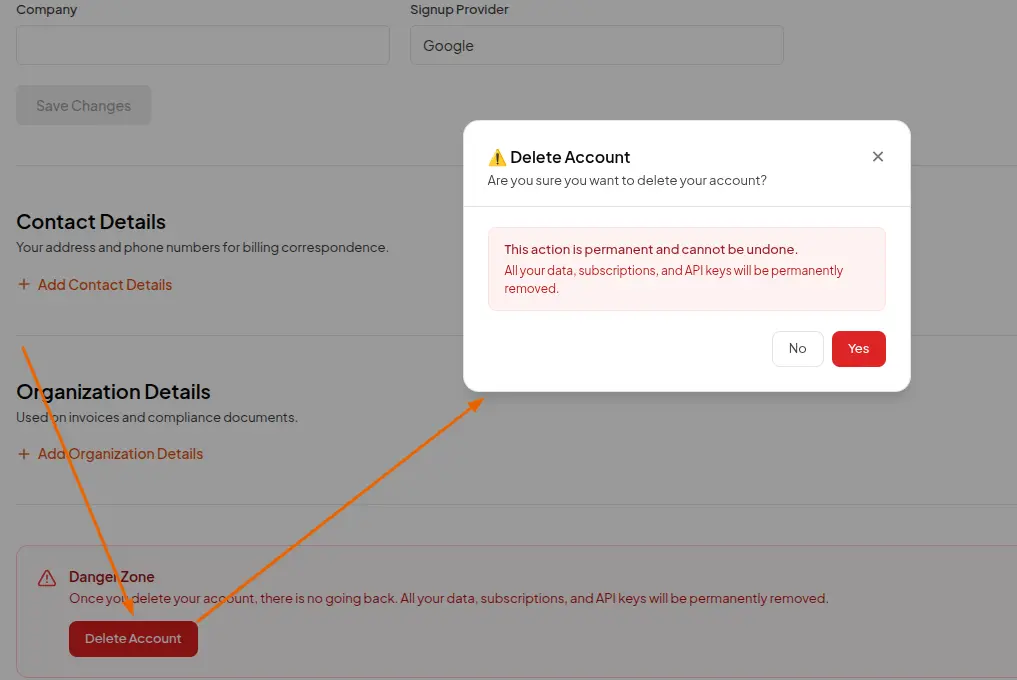
Nothing has been deleted yet at this point. Clicking Yes only advances the flow.
WhoisFreaks verifies that it's really you before deleting anything. Which check you get depends on how you signed up.
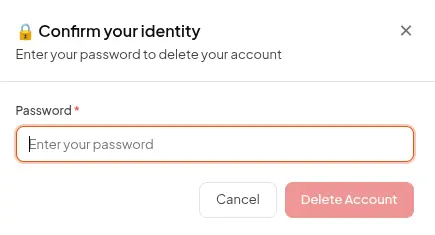
The modal switches to Confirm your identity and asks for your password.
Type your account password into the Password field and click Delete Account. If the password doesn't match, you'll see "Password is invalid" and nothing is deleted - correct it and try again.
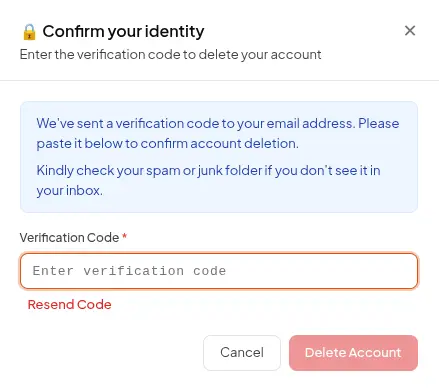
Accounts created through Google or GitHub sign-in don't have a WhoisFreaks password, so a verification code is emailed to you instead.
As soon as you click Yes in Step 3, a code is sent to your registered email address, and the modal shows a Verification Code field. Copy the code from the email and paste it in, then click Delete Account.
When the identity check passes, WhoisFreaks processes the deletion in one pass:
| What happens | Detail |
|---|---|
| Subscriptions cancelled | Every active API, database, domainer, and monitoring subscription is deactivated with the payment gateway (Stripe, Paddle, or FastSpring) right away |
| API keys disabled | Your primary key is marked inactive and dropped from the API gateway cache; secondary and development keys are cleared, and key rotation is switched off |
| API credits switched off | Your credit balance is deactivated and the account is moved back to the default free plan |
| Monitoring stopped | Paid monitoring plans are removed, so scheduled WHOIS and DNS checks stop running |
| Marketing email unsubscribed | You're removed from all newsletters and product-update lists |
| Account status | Marked Deleted, deactivated for sign-in, and stamped with the deletion date |
The modal then shows a confirmation; "Your Account has been Deleted"; with a note that you can contact support to restore it within 90 days, and a countdown ring that signs you out after 5 seconds. You can click Sign out now to skip the wait.
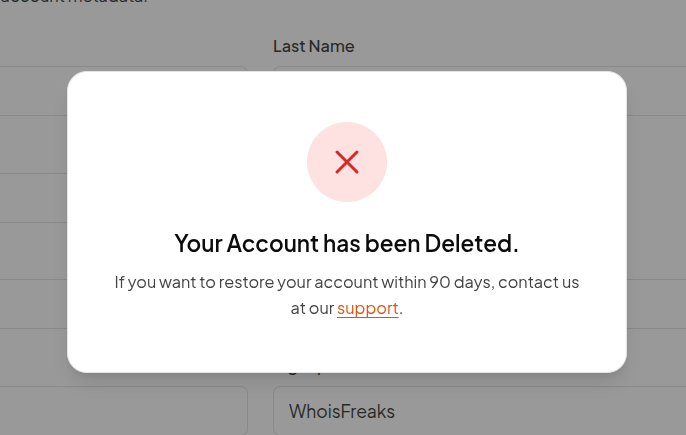
Your API keys stop authenticating from this moment. Any request still using them will be rejected.
For 90 days after deletion, your account record is retained in a deleted state. During that window you can contact WhoisFreaks support from the email address on the account and ask for it to be restored.
| Step | Action |
|---|---|
| 1 | Sign in and open Profile > Account |
| 2 | Scroll to Danger Zone and click Delete Account |
| 3 | Click Yes in the confirmation modal |
| 4 | Enter your password, or the code emailed to you if you signed up with Google or GitHub |
| 5 | Click Delete Account - subscriptions cancel and API keys stop working immediately |
| 6 | Within 90 days, contact support if you need the account restored |
Deleting an account is deliberately a few clicks deep, because it's the one action in the dashboard you can't undo yourself. If what you actually want is to stop paying while keeping your history and API key, cancelling your subscription is almost always the better move.
Yes. You don't need to cancel first. The deletion flow cancels every active subscription with the payment gateway as part of the process. Be aware that this is an immediate cancellation, not an end-of-period one, so you lose access to the remaining days you've already paid for.
No. Deleting the account forfeits any remaining API credits and the unused portion of the current billing cycle. If you want to use up what you've paid for, cancel the subscription with the "Deactivate at Next Period" option instead and delete the account once the cycle ends.
Accounts created through Google or GitHub sign-in never have a WhoisFreaks password, so there's nothing to check against. Instead, a one-time code is emailed to your registered address, which proves you still control that mailbox. Paste the code into the modal to continue.
First check your spam and junk folders, since the message is transactional and sometimes filtered. If it's still missing, wait for the Resend Code link to become active under the code field and click it to issue a fresh code. If nothing arrives after a resend, contact support - the email address on the account may be receiving nothing at all, which is worth fixing regardless.
Contact WhoisFreaks support within 90 days of the deletion, using the email address the account was registered with. Support can reinstate the account itself. Your subscriptions won't come back, because they were cancelled at the payment gateway, so you'll need to buy credits or subscribe again once you're back in.
A scheduled cleanup runs against accounts that were deleted 90 days earlier and purges their data permanently. Once that has run, the account can no longer be restored by anyone, including support.
Yes. Your primary key is marked inactive and removed from the API gateway as part of the deletion, and secondary and development keys are cleared at the same time. Any application still calling the WhoisFreaks API with those keys starts getting rejected immediately, so remove them from your integrations before you delete.
Your existing account is retained in a deleted state for 90 days, so if you want to come back within that window the cleanest route is to ask support to restore it rather than creating a new one. If you'd rather start fresh, contact support and they'll advise on the right path for your address.
No, and the difference matters. Cancelling stops the billing but keeps your account, invoices, API key, and monitoring configuration intact, and you can resume later. Deleting removes the account entirely and disables everything attached to it. If your goal is simply to stop being charged, cancel instead.
Deletion is handled entirely in the dashboard and takes effect immediately; WhoisFreaks does not hold account closures in a support queue. The 90-day retention window exists so that a mistaken deletion is recoverable, not as a soft-delete you can toggle yourself; only support can restore an account, and only within those 90 days.
If you manage API keys for a team, disable the integration before deleting. Because the key is dropped from the API gateway the moment deletion completes, live traffic fails instantly rather than degrading gracefully.
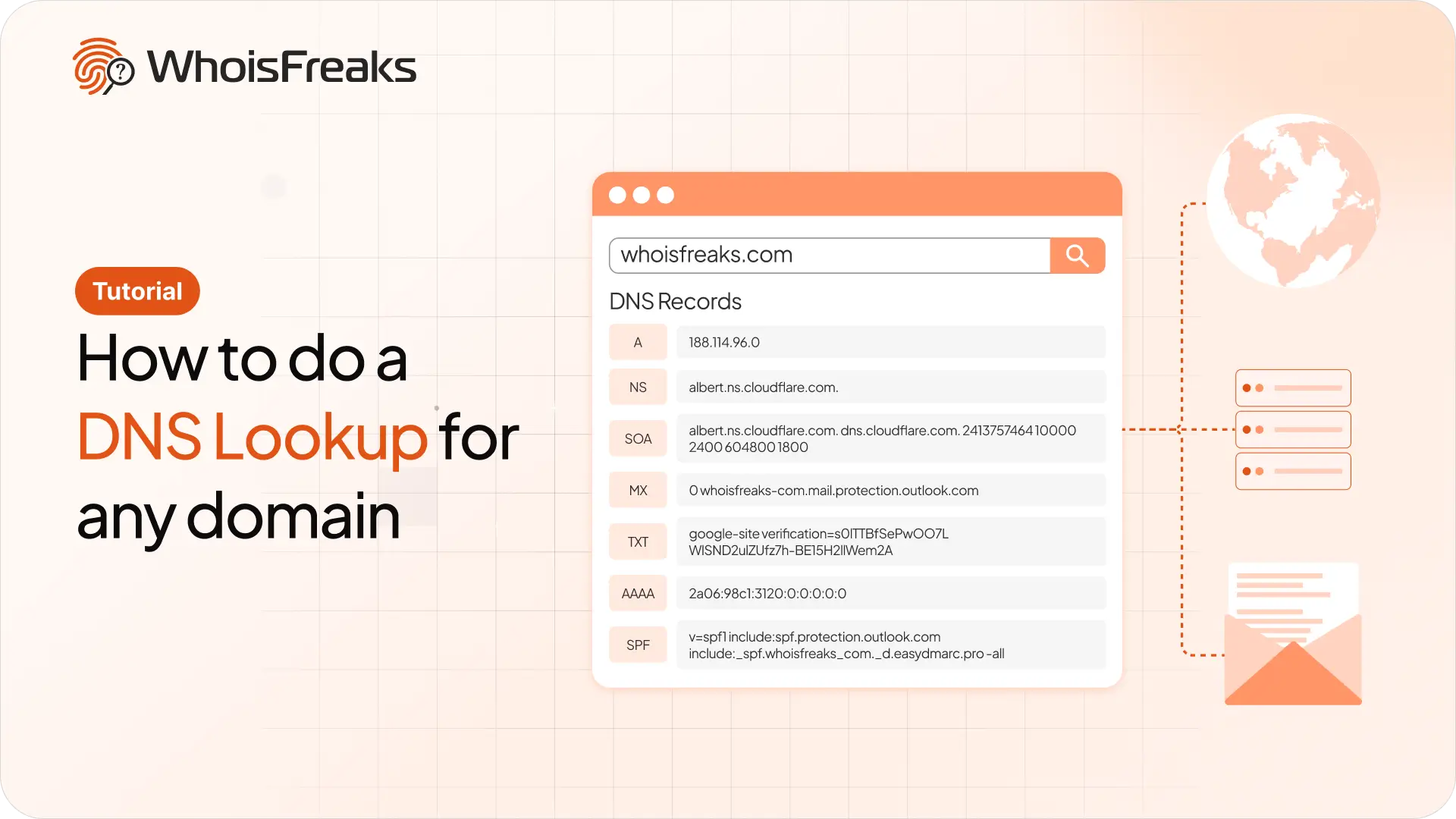
Run a DNS lookup on any domain with the WhoisFreaks DNS API. Get A, AAAA, NS, MX, TXT, SOA and SPF records in one JSON response, with cURL examples you can copy.
11 min read
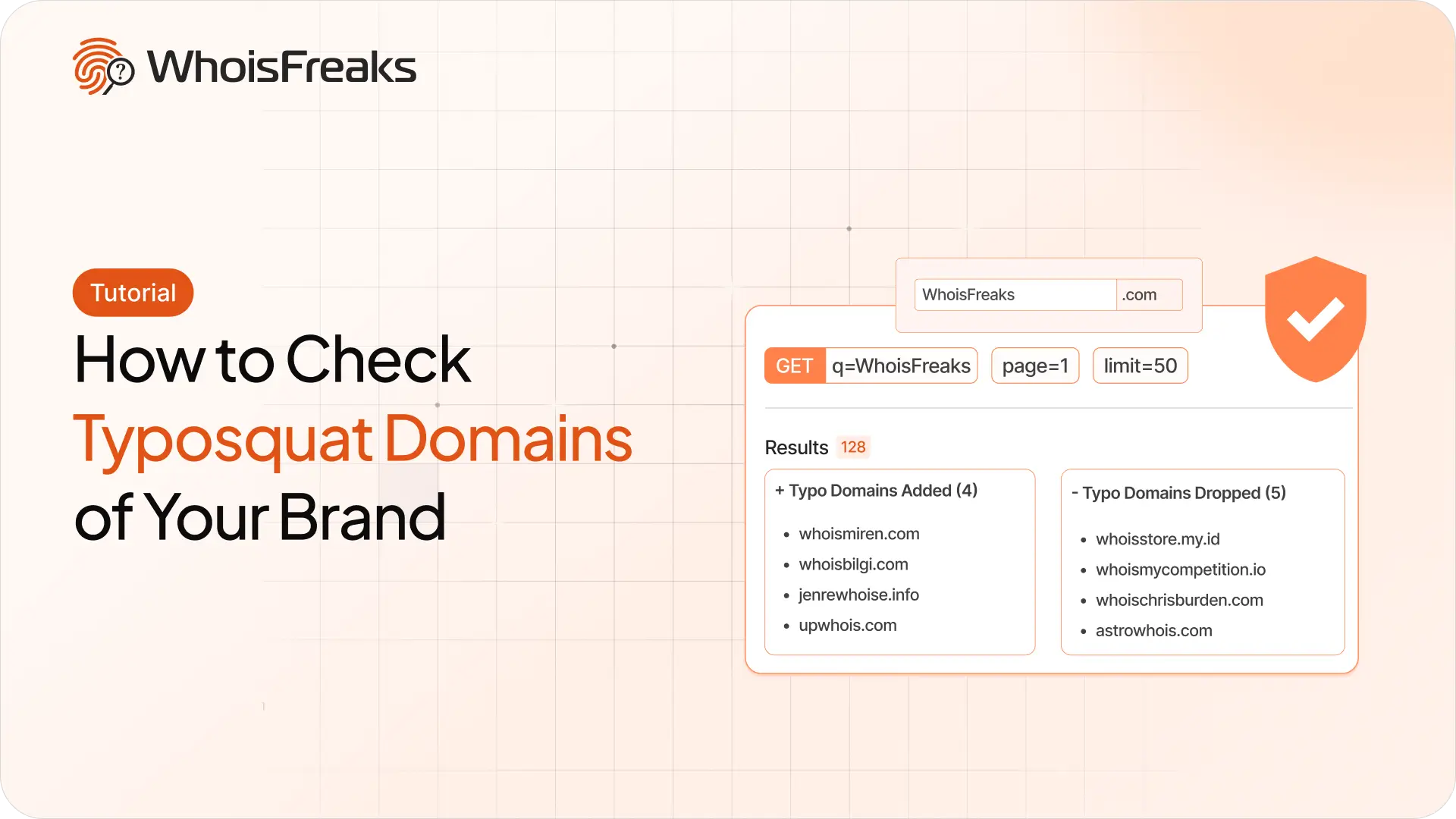
Find registered typosquatting domains targeting your brand with the WhoisFreaks Domain Typosquats API - keyword scans, wildcard patterns, paging and triage.
11 min read

WhoisFreaks database downloads arrive as .csv.gz, .json.gz or .zip. Extract, verify and read them on Linux, macOS and Windows - including how to work with multi-gigabyte files without unzipping them at all.
11 min read