
Tutorial
How to Do an ASN WHOIS Lookup

Written By Qasim, WhoisFreaks Team Published: September 30, 2026, Last Updated: September 30, 2026
Tutorial
Written By Qasim, WhoisFreaks Team Published: September 30, 2026, Last Updated: September 30, 2026
An ASN WHOIS lookup tells you which organization operates a network; the registered owner of an autonomous system, the registry that allocated it, the block the number came from, and who to contact about abuse coming out of it. This tutorial shows you how to run one with the WhoisFreaks ASN WHOIS API, how to read every field it returns, and how to get from an IP address to the AS number in the first place.
You'll need an API key. If you don't have one yet, sign up and grab your key first; new accounts include 500 free credits, no card required.
An Autonomous System is a collection of IP networks run under one clearly defined routing policy, and an Autonomous System Number (ASN) is the identifier that system announces to the rest of the internet over BGP. Every network that speaks BGP; every ISP, hosting company, cloud provider and large enterprise; has at least one. When traffic reaches you from 142.250.0.0/15, the ASN is what tells you the network is Google's rather than a random rented box.
That makes an ASN lookup a different question from an IP WHOIS lookup, and the distinction matters when you're deciding which call to make:
| Question | Endpoint | What you get back |
| Which AS announces this IP? | /v1.0/geolocation | A network.asn block with as_number, asn_name, the operator's trading name, the RIR and route counts |
| Who is this single IP allocated to, and who do I report abuse to? | /v1.0/ip-whois | The registry allocation record; inet_nums with the CIDR and range, the assigned organization with its postal address, plus technical_contacts and abuse_contacts |
| Who operates the whole network this IP belongs to? | /v1.0/asn-whois | The AS registration record; allocation block, registered organisation, administrative, technical and abuse contacts |
| What is this domain's registration? | /v2.0/whois/live | Registrar, registrant, nameservers, dates |
Note the split, because it is the single most common wrong turn here: IP WHOIS does not return an AS number. Its documented response is ip_address, query_time, whois_server, inet_nums, organization, technical_contacts, abuse_contacts and whois_raw_response; a registry allocation record with contactable humans on it, and nothing about BGP. The network.asn object lives on the IP Geolocation and IP Security endpoints. So geolocation is what turns an address into an AS number, and ASN WHOIS is what turns that number into an accountable operator with a mailing address and a contact handle. IP WHOIS is the third call you make when you want the allocation record and the abuse address for that one address.
Sign in to the WhoisFreaks dashboard and open API Keys. Copy your primary key; it's the only credential the ASN WHOIS API needs, and it travels as the apiKey query parameter. No headers, no OAuth flow, no request body.
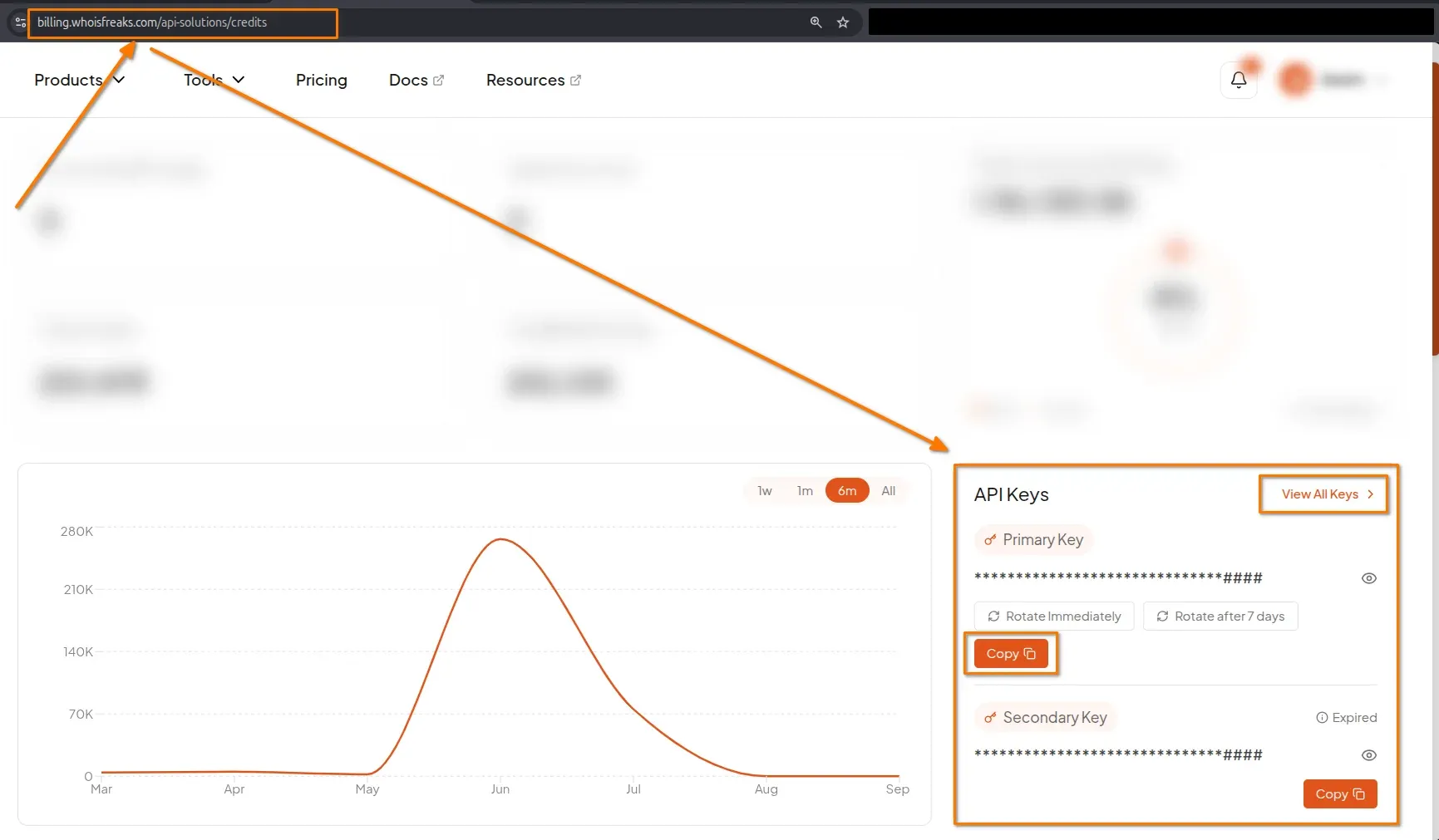
Send a GET request to the asn-whois endpoint with the AS number you want:
curl "https://api.whoisfreaks.com/v1.0/asn-whois?apiKey=API_KEY&asn=as56554"Replace API_KEY with your key and as56554 with the AS number you're checking. The as prefix is optional; the documentation states the parameter takes "the ASN number with or without 'as'", so asn=as1009 and asn=1009 are both accepted. The samples use the prefixed form, and staying consistent with it is the safer habit when you're building request strings from mixed-source data.
| Parameter | Required | Value |
| apiKey | Yes | Your API key from the dashboard |
| asn | Yes | The AS number, with or without the as prefix; as56554 or 56554 |
| format | No | JSON or XML. Defaults to JSON when omitted |
That's the whole surface. There is no bulk variant of this endpoint and no per-record type selector; one AS number per call, full record returned.
If you just want to eyeball one number before you write any code, the ASN WHOIS lookup tool runs the same query in the browser.
A successful lookup returns 200 with the AS registration record, trimmed here to the fields that carry the meaning:
{
  "status": true,
  "as_number": "AS56554",
  "query_time": "2024-02-01 08:28:26",
  "whois_server": "whois.ripe.net",
  "as_blocks": [
    {
      "as_block": "AS56444; AS57146",
      "description": [
        "RIPE NCC ASN block"
      ],
      "mnt_by": [
        "RIPE-NCC-HM-MNT"
      ],
      "date_created": "2023-08-23",
      "date_updated": "2023-08-23",
      "source": "RIPE"
    }
  ],
  "aut_nums": [
    {
      "aut_num": "AS56554",
      "as_name": "IETF-MEETING",
      "description": [
        "IETF Meeting Network"
      ],
      "status": "ASSIGNED",
      "import": [
        "from AS-ANY accept ANY"
      ],
      "export": [
        "to AS-ANY announce ANY"
      ],
      "organization": "ORG-IS136-RIPE",
      "sponsoring_organization": "ORG-NIE1-RIPE",
      "admin_contacts": [
        "IED11-RIPE"
      ],
      "tech_contacts": [
        "IETF-RIPE"
      ],
      "date_created": "2011-03-16",
      "date_updated": "2019-03-26",
      "source": "RIPE"
    }
  ],
  "organization": {
    "handle": "ORG-IS136-RIPE",
    "name": "Internet Society",
    "type": "OTHER",
    "street": "Galerie Jean-malbuisson",
    "city": "Geneva",
    "zip_code": "CH-1204",
    "country": [
      "CH"
    ],
    "abuse_contacts": [
      "AR28097-RIPE"
    ],
    "date_created": "2010-11-09",
    "date_updated": "2022-12-01",
    "source": "RIPE"
  },
  "administrative_contacts": [
    {
      "handle": "IED11-RIPE",
      "name": "IETF Executive Director"
    }
  ],
  "technical_contacts": [
    {
      "handle": "IETF-RIPE",
      "name": "IETF NOC"
    }
  ],
  "whois_raw_response": "#########################################"
}| Field | Meaning |
| status | true when the lookup succeeded. Check this before parsing anything else. |
| as_number | The AS number as the registry spells it, normalised to the AS56554 form regardless of how you sent it. |
| query_time | When the record was fetched. ASN records change slowly, but this is your cache key. |
| whois_server | The registry WHOIS server that answered; whois.ripe.net here. This is how you know which RIR is authoritative. |
| as_blocks | The allocation block the number was carved out of, e.g. AS56444; AS57146, with the maintainer and the block's own created/updated dates. |
| aut_nums | The aut-num objects: the AS name, its status, its BGP import/export policy as the registry records it, and the handles of the organisation and contacts. |
| organization | The registered operator; handle, name, type, postal address, country, and abuse_contacts. |
| administrative_contacts | Administrative contact objects, each with a handle, name and address. |
| technical_contacts | Technical contact objects, same shape, plus a nested tech_contacts list of individual handles. |
| whois_raw_response | The unparsed registry text. Store this if you ever need to prove what the registry said. |
Three details in there are worth pointing out because they're where most integrations go wrong.
as_blocks and aut_nums are arrays, not objects. Even when there's exactly one of each; which is the normal case; you have to index into them. Write aut_nums[0].as_name, not aut_nums.as_name.
description, country, mnt_by, import, export and the contact lists are arrays of strings. Registry records are multi-line by nature; a single-line value still arrives as a one-element array. Join them rather than assuming a scalar.
Contacts are handles, not people. organization.abuse_contacts gives you AR28097-RIPE; a registry handle. The postal address you can act on sits on the organization object itself, and the named contacts are expanded in administrative_contacts and technical_contacts.
Most investigations begin with an address, not a number. The endpoint that maps an IP to an AS number is IP Geolocation, not IP WHOIS:
curl --location --request GET 'https://api.whoisfreaks.com/v1.0/geolocation?apiKey=API_KEY&ip=8.8.8.8'
The response carries a network.asn block:
{
  "network": {
    "asn": {
      "as_number": "AS15169",
      "organization": "Google LLC",
      "country": "US",
      "asn_name": "GOOGLE",
      "type": "BUSINESS",
      "domain": "google.com",
      "date_allocated": "2000-03-30",
      "allocation_status": "",
      "num_of_ipv4_routes": "1068",
      "num_of_ipv6_routes": "152",
      "rir": "ARIN"
    },
    "connection_type": "",
    "company": {
      "name": "Google LLC",
      "type": "HOSTING",
      "domain": "google.com"
    }
  }
}
Take as_number from there and feed it straight into the ASN endpoint:
curl "https://api.whoisfreaks.com/v1.0/asn-whois?apiKey=API_KEY&asn=AS15169"If you are already enriching indicators for threat work, the IP Security endpoint gets you the same AS number alongside the VPN, proxy, Tor and known-attacker flags, so you do not need a separate geolocation call:
curl --location --request GET 'https://api.whoisfreaks.com/v1.0/security?apiKey=API_KEY&ip=8.8.8.8'One difference to code around: on the security response the ASN object sits at the top level as asn, not under network, and it carries a smaller set of fields; as_number, organization, country, type, domain, date_allocated and rir, with no asn_name and no route counts. Read asn.as_number there and network.asn.as_number on geolocation.
| You want | Call | Cost |
| The AS number for an IP | /v1.0/geolocation (or /v1.0/security if you also want threat flags) | 1 credit |
| The registry record and abuse address for that one IP | /v1.0/ip-whois | 1 credit |
| The registry record for the whole autonomous system | /v1.0/asn-whois | 1 credit |
So the full pivot is two calls and two credits: geolocation to get the number, ASN WHOIS to get the operator. Add IP WHOIS as a third call when the address itself is what you need to report on; it returns the inet_nums allocation for that address and an abuse_contacts entry with a real email and phone number, which is a narrower, more actionable target than the AS-level abuse handle.
Every failure comes back in the same JSON envelope; timestamp, status, error, message, path; so, one error handler covers all of them. These are the ones to branch on:
| Status | What it means | What to do |
| 206 | Partial content; the record came back without the full contact and organisation detail. | Treat it as a success with gaps. as_number, as_blocks and aut_nums are present; don't assume organization is. |
| 400 | Request-param 'asn' (******) is not valid | Fix the input. A malformed or out-of-range AS number lands here. |
| 401 | Provided API key is invalid. | Check the key, not the query. |
| 408 | Unable to fetch whois data.Please try again | The registry didn't answer in time. Retry with backoff. |
| 412 | Plan requests exhausted and the subscription is cancelled. | Renew or top up before retrying. |
| 423 | Locked; this is the status that covers bogon IP ranges. | Not retryable. Skip the input. |
| 429 | Please slow down. Your maximum request limit per minute is reached. | Back off. Don't retry immediately. |
| 500 / 503 / 504 | Server error, service unavailable, timeout. | Retry with backoff; escalate if it persists. |
Two facts make error handling cheaper than you'd expect. 4xx responses do not consume credits, so a bad AS number in a large batch costs you nothing but time. And the free tier gives you 500 credits at 10 requests per minute on live endpoints (5/min for bulk, 1/min for reverse and historical), which is ample for building and testing this integration.
To pace a loop properly, read the rate-limit headers on every response rather than guessing:
Limits are enforced per endpoint category; live, bulk, historical/reverse; not as one global pool, so saturating a bulk endpoint doesn't throttle your ASN lookups. Read the rate limiting documentation.
| Step | Action |
| 1 | Copy your primary API key from the dashboard |
| 2 | GET /v1.0/asn-whois with apiKey and asn; the as prefix is optional |
| 3 | Read aut_nums[0] for the AS itself, organization for the operator and its abuse contact |
| 4 | Start from /v1.0/geolocation when you only have an address, then pivot on network.asn.as_number; IP WHOIS does not return an ASN |
| 5 | Branch on 206, 400, 423 and 429; pace with the x-ratelimit-* headers |
One request turns a number announced in a routing table into a named organization with a postal address and an abuse contact. Plans and daily snapshot options are on the ASN WHOIS API product page.
A query against registry WHOIS data for an Autonomous System Number, the identifier a network announces over BGP. It returns the registered organisation, the allocation block, the status, and the admin, technical and abuse contacts. The WhoisFreaks ASN WHOIS API queries the authoritative registry and returns the record as JSON or XML.
GET https://api.whoisfreaks.com/v1.0/asn-whois with your apiKey and asn parameter, e.g. asn=as56554. No headers or body needed, so one cURL command does it. JSON by default; add format=XML for XML.
No. The asn parameter accepts the number with or without it, so asn=as1009 and asn=1009 both work. Normalising your inputs to one style is still worth doing.
IP WHOIS answers questions about a single address: its allocation block, the assigned organisation, and who to contact about abuse. It returns inet_nums, organization, technical_contacts and abuse_contacts, but no AS number. An ASN lookup returns the registry record for the whole network. To get from an address to an AS number, use IP Geolocation or IP Security, where network.asn lives.
Call IP Geolocation and read network.asn.as_number, or IP Security and read asn.as_number from the top level. The value comes back as AS15169 and passes straight to the ASN WHOIS endpoint. Geolocation also returns asn_name, the RIR and route counts, which is often enough on its own.
Partial content: the record was retrieved but not every section came back. as_number, as_blocks and aut_nums are present; organization and the contact sections may not be. Treat it as success with missing optional fields, and check organization exists before dereferencing it.
No. 4xx responses consume nothing, so invalid AS numbers, bad keys and throttled requests are free. Still pace your requests rather than relying on 429s.
One credit per successful query, per the credit usage documentation. IP WHOIS, Geolocation and Security are 1 each, so the IP-to-operator pivot (geolocation, then ASN WHOIS) costs two. New accounts get 500 free credits, no card required.
Index on as_number, not on organization name. Operators rename, merge and get acquired, and the trading name in a registry record trails reality by months. The AS number is the stable key; it's what BGP actually carries, and it doesn't change when the letterhead does.
Keep whois_raw_response when the lookup is part of an investigation you may have to defend. The parsed fields are what your code should read, but the raw registry text is the only thing that shows exactly what the registry said at query_time, and registries do amend records without notice.
Treat whois_server as data, not noise. It tells you which RIR is authoritative for the AS, and the five registries format their records differently; RIPE's mnt_by and aut-num conventions aren't ARIN's. If your parser only ever sees RIPE responses, it will break the first time an APNIC record arrives.
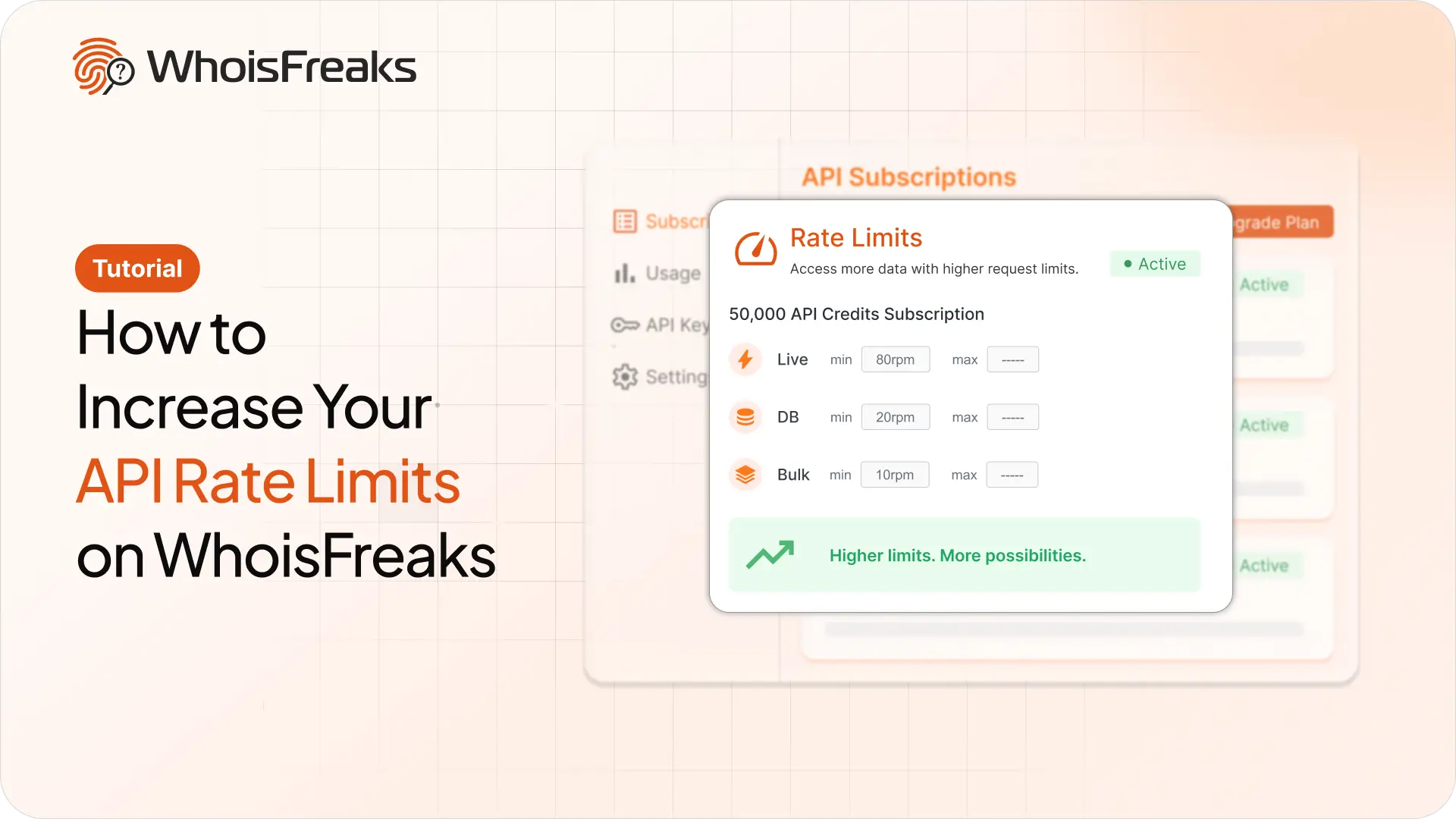
Getting 429s with credits to spare? Raise your requests per minute from the billing dashboard and see what the add-on costs first.
8 min read
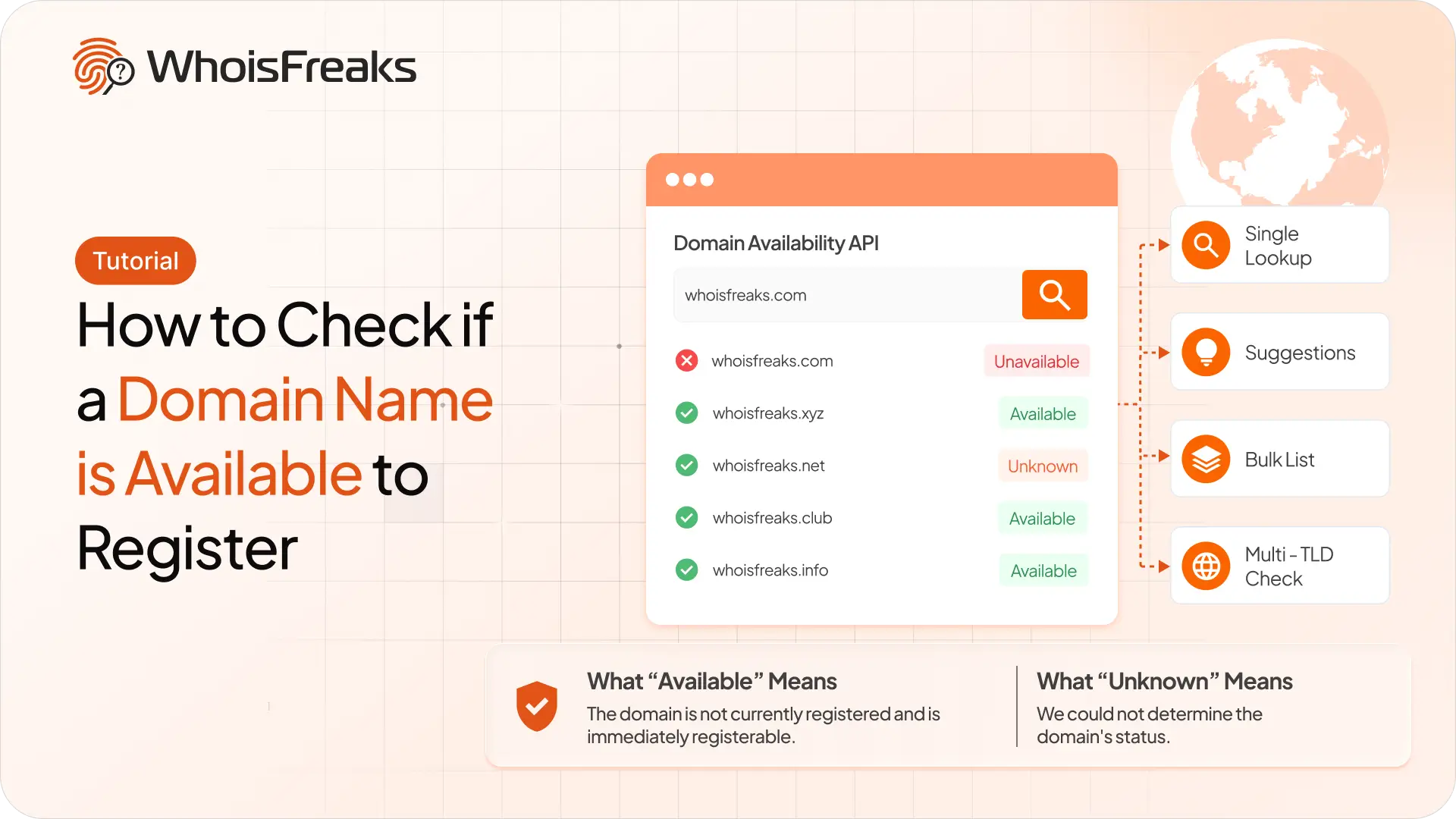
Check whether a domain name is free to register with the WhoisFreaks Domain Availability API - single lookups, suggestions, bulk lists and multi-TLD checks.
10 min read