
Tutorial
How to Use the WhoisFreaks API for Domain Lookups

Written By Qasim, WhoisFreaks Team Published: June 16, 2026, Last Updated: August 26, 2026
Tutorial
Written By Qasim, WhoisFreaks Team Published: June 16, 2026, Last Updated: August 26, 2026
The WhoisFreaks API turns traditional WHOIS lookups into a fast, automated process, giving developers, security teams, and researchers programmatic access to domain intelligence at scale. Through REST endpoints, users can retrieve real-time data on domain ownership, registration details, DNS records, and historical changes.
Designed for easy integration and scalability, it delivers structured JSON responses that work seamlessly with applications, SIEM systems, and threat intelligence platforms. With simple authentication and well-defined endpoints, it enables automated domain monitoring, OSINT investigations, and continuous visibility into domain ecosystems.
The WhoisFreaks API is a RESTful service that provides programmatic access to extensive domain intelligence data, including WHOIS records, DNS data, IP intelligence, SSL certificates, domain availability, and threat insights. It supports multiple output formats such as JSON, XML, and CSV, with broad coverage across TLDs, historical datasets, and country-specific records, ensuring accurate and reliable results.
Instead of performing manual lookups, the API enables large-scale domain queries with real-time data fetched directly from authoritative sources. This allows you to automate lookups, integrate domain intelligence into applications, and enhance your security or monitoring systems with up-to-date domain insights.
The API covers data collected across 1500+ domain extensions, including both gTLDs and ccTLDs, with a database of 15+ billion DNS records and 3.7+ billion historical WHOIS records; making it one of the most comprehensive domain intelligence sources available via API today. Registration dates, as part of the ownership information retrieved from WHOIS queries, are crucial for understanding domain registration history and status.
The WhoisFreaks API is used by:
The breadth and depth of the WHOIS database make it a vital resource for integration into systems and for conducting detailed domain research.
Before diving into individual walkthroughs, here is a complete overview of every API endpoint available. All endpoints return data in structured JSON or XML format. JSON format is the default and preferred option for performance and efficiency.
The domain WHOIS API encompasses multiple lookup and research functions, supporting domain tracking, compliance, security analysis, and automation workflows. Each endpoint queries authoritative servers in real time to retrieve domain registration, name server, and status information, ensuring up-to-date and reliable results.
| # | API Endpoint | What It Returns |
|---|---|---|
| 1 | WHOIS Lookup API | Current WHOIS data for any domain; registrant, registrar, dates, nameservers, statuses |
| 2 | Historical WHOIS API | All past WHOIS records showing ownership changes over time |
| 3 | Reverse WHOIS API | All domains associated with a specific email, name, phone, or organization |
| 4 | Bulk WHOIS API | WHOIS data for up to 100 domains per request |
| 5 | DNS Lookup API | Live DNS records (A, AAAA, MX, NS, TXT, CNAME, SOA, SPF) of a domain name and an IP address |
| 6 | Historical DNS API | Archived DNS snapshots showing record changes over time |
| 7 | Reverse DNS API | All domains that have pointed to a specific IP address |
| 8 | Bulk DNS Lookup | Live DNS Lookup for up to 100 domains and 100 IPs per request |
| 9 | Subdomains Lookup API | All known subdomains for a given domain |
| 10 | Domain Availability API | Check if a domain name is available for registration |
| 11 | Bulk Domain Availability API | Check availability of up to 100 domains per request |
| 12 | Newly Registered Domains API | Daily feed of freshly registered domains |
| 13 | Expired/Deleted Domains API | Domains that have recently expired or been deleted |
| 14 | SSL Certificate API | SSL/TLS certificate data for any domain |
| 15 | IP Geolocation API | Geographic and ASN data for any IP address |
| 16 | Bulk IP Geolocation API | Geolocation data for up to 100 IP addresses per query |
| 17 | IP Security API | Threat intelligence and security risk data for IP addresses |
| 18 | Bulk IP Security API | IP Security information for up to 100 IP addresses per request |
| 19 | IP WHOIS API | Get complete WHOIS registration data for IPv4/IPv6 addresses |
| 20 | ASN WHOIS API | Get WHOIS data for Autonomous System Numbers |
| 21 | WHOIS DB Update API | Latest updates and changes detected in WHOIS database records |
| 22 | DNS DB Update API | Recent changes and newly observed updates in DNS records database |
| 23 | IP WHOIS Snapshot API | Point-in-time snapshots of IP WHOIS data for historical analysis |
| 24 | ASN WHOIS Snapshot API | Historical snapshots of ASN WHOIS records showing ownership and allocation changes |
| 25 | IP Security Snapshot API | Time-based snapshots of IP threat intelligence and risk scoring data |
| 26 | IP Geolocation Snapshots API | Historical IP to country and city mapping data across time |

Every request to the WhoisFreaks API requires authentication using an API key. Here is how to get started:
Step 1: Create a Free Account
Visit Signup page and sign up for a free account. New accounts receive 500 free API credits with no credit card required.
Step 2: Access Your API Key
After signing in, navigate to API Solutions under PRODUCTS and then to the API Keys section. Your unique/primary API key will be displayed there. Copy it and store it securely.

For further details on account creation and getting the API key, you can follow tutorial: Getting Started with WhoisFreaks.
Step 3: Add Your API Key to Requests
Append your API key to every request as a query parameter:
?apiKey=YOUR_API_KEYBase API URL:
https://api.whoisfreaks.com/All endpoints are built on top of this base URL.
The WhoisFreaks API uses a flexible, request-based pricing model that scales with your needs, making it suitable for both individual developers and large enterprises. You can start with a free plan that includes API credits; no credit card required; allowing you to explore real-time WHOIS data and core features without commitment.
For higher usage, discounted bulk plans and custom enterprise solutions are available, tailored to specific data and security requirements. Payments are handled securely with support for major methods, ensuring easy access to reliable domain intelligence for monitoring, threat detection, and application development.
The WHOIS Lookup API returns the current registration details for any domain, including registration dates, status, and name server information, as well as registrant name, organization, email, phone, registrar, registration date, expiry date, and nameservers.
GET https://api.whoisfreaks.com/v2.0/whois/live?domainName=google.com&apiKey=YOUR_API_KEY&format=jsonParameter | Value | Description |
|---|---|---|
domainName | The domain to look up | |
apiKey | YOUR_API_KEY | Your authentication key |
format | xml, json | Your preferred format |
Sample Response:
{
  "status": true,
  "domain_name": "google.com",
  "query_time": "2026-03-30 10:37:33",
  "whois_server": "https://rdap.verisign.com/com/v1/",
  "domain_registered": "yes",
  "domain_handle": "2138514_DOMAIN_COM-VRSN",
  "create_date": "1997-09-15",
  "update_date": "2024-08-02",
  "expiry_date": "2028-09-13",
  "domain_registrar": {
    "iana_id": "292",
    "handle": "292",
    "status": "accredited",
    "registrar_name": "MarkMonitor Inc",
    "normalized_name": "markmonitor",
    "whois_server": "whois.markmonitor.com",
    "rdap_server": "https://rdap.markmonitor.com/rdap/",
    "website_url": "https://www.markmonitor.com/",
    "email_address": "[email protected]",
    "phone_number": "+12086851750"
  },
  "registrant_contact": {
    "name": "REDACTED REGISTRANT",
    "company": "Google LLC",
    "street": "REDACTED FOR PRIVACY",
    "city": "REDACTED FOR PRIVACY",
    "zip_code": "REDACTED FOR PRIVACY",
    "country_name": "United States",
    "country_code": "US",
    "email_address": "REDACTED FOR PRIVACY",
    "phone": "REDACTED FOR PRIVACY"
  },
  "abuse_contact": {
    "registrar_name": "Markmonitor Inc",
    "email_address": "[email protected]",
    "phone_number": "+12086851750"
  },
  "name_servers": [
    "ns1.google.com",
    "ns2.google.com",
    "ns3.google.com",
    "ns4.google.com"
  ],
  "domain_status": [
    "clientupdateprohibited",
    "clientdeleteprohibited",
    "clienttransferprohibited",
    "serverdeleteprohibited",
    "serverupdateprohibited",
    "servertransferprohibited"
  ],
  "registry_data": {
    "domain_name": "google.com",
    "query_time": "2026-03-30 10:37:31",
    "whois_server": "https://rdap.verisign.com/com/v1/",
    "domain_registered": "yes",
    "create_date": "1997-09-15",
    "update_date": "2019-09-09",
    "expiry_date": "2028-09-14",
    "domain_registrar": {
      "iana_id": "292",
      "handle": "292",
      "registrar_name": "MarkMonitor Inc",
      "whois_server": "whois.markmonitor.com"
    },
    "name_servers": [
      "ns1.google.com",
      "ns2.google.com",
      "ns3.google.com",
      "ns4.google.com"
    ],
    "domain_status": [
      "clientupdateprohibited",
      "clientdeleteprohibited",
      "clienttransferprohibited",
      "serverdeleteprohibited",
      "serverupdateprohibited",
      "servertransferprohibited"
    ]
  }
}
The API queries authoritative servers in real time, ensuring the most up-to-date registration data.
Use it for: Domain ownership verification, registrar identification, expiry monitoring, due diligence.
JSON format is the default and most efficient for most integrations, though XML is available if needed.
The Historical WHOIS API returns all past WHOIS records for a domain, leveraging the WHOIS protocol and the extensive WHOIS database to provide historical registration dates and ownership changes, showing how registration details have changed over time, including previous owners, old registrar transfers, and historical contact information.
GET https://api.whoisfreaks.com/v1.0/whois?whois=historical&apiKey=YOUR_API_KEY&domainName=google.comParameter | Value | Description |
|---|---|---|
domainName | The domain to look up | |
apiKey | YOUR_API_KEY | Your authentication key |
format | xml, json | Your preferred format |
Use it for: Domain acquisition due diligence, ownership timeline reconstruction, fraud investigation, threat attribution.
The Reverse WHOIS API finds all domains registered using a specific piece of WHOIS data, such as an email address, registrant name, phone number, or organization name.
Endpoint:
GET https://api.whoisfreaks.com/v1.0/whois?whois=reverse&apiKey=YOUR_API_KEY&keyword=googleKey Parameters:
| Parameter | Description | Example |
|---|---|---|
| apiKey | YOUR_API_KEY | Your authentication key |
| format | xml, json | Your preferred format |
| You can pass one of the below params for any request at a time | ||
| Search by registrant email | [email protected] | |
| owner name | Search by registrant name | elon musk |
| company | Search by organization | |
| keyword | Search by keyword | iran |
Use it for: Brand protection (find all domains registered by competitors), threat actor infrastructure mapping, finding all assets owned by an entity. You can leverage the extensive WHOIS database to retrieve the status and registration dates for all domains associated with a given entity, providing a comprehensive view of domain ownership and history.
Bulk WHOIS Lookup in WhoisFreaks is used to retrieve WHOIS data for multiple domains in a single request, eliminating the need for individual queries.
POST https://api.whoisfreaks.com/v2.0/bulkwhois/live?apiKey=YOUR_API_KEYParameter | Value | Description |
|---|---|---|
apiKey | YOUR_API_KEY | Your authentication key |
format | xml, json | Your preferred format |
Body (raw) in JSON format (a max of 100 domains):
{
  "domainNames": [
    "google.com",
    "whoisfreaks.com",
    "jfreaks.com",
    "ipgeolocation.io",
    "apifreaks.com"
  ]
}
It enables efficient large-scale analysis of domain ownership, registrars, and expiration details. This is especially useful for security investigations, portfolio monitoring, and identifying patterns across domains. By handling up to 100 domains per request, it saves time and reduces operational overhead. It is ideal for automation workflows and bulk data processing.
The DNS Lookup API returns live, real-time DNS records for any domain or hostname; covering all major record types and retrieves authoritative name server information directly from DNS servers.
Domain name lookup:
GET https://api.whoisfreaks.com/v1.0/domain/dns/live?apiKey=YOUR_API_KEY&domainName=google.com&type=allIP address lookup:
GET https://api.whoisfreaks.com/v1.0/domain/dns/live?apiKey=YOUR_API_KEY&ipAddress=8.8.8.8&type=ptrGET https://api.whoisfreaks.com/v1.0/domain/dns/live?apiKey=YOUR_API_KEY&ipAddress=8.8.8.8&domainName=google.com&type=allFor domainName: a, aaaa, mx, ns, soa, spf, txt, cname or all (for getting all)
For ipAddress: ptr
| Parameter | Value | Description |
|---|---|---|
| apiKey | YOUR_API_KEY | Your authentication key |
| format | xml, json | Your preferred format |
| ipAddress | IPv4 | The IP address for which you want to get PTR record |
| domainName | Domain name | Domain name for which you want DNS record |
| type | a, aaaa, mx, ns, soa, spf, txt, cname, ptr or all | Record type |
Use it for: Infrastructure mapping, email configuration verification, subdomain enumeration, CDN detection.
The Historical DNS API returns archived DNS snapshots for any domain, showing how A, AAAA, MX, NS, TXT, CNAME, SOA, and SPF records have changed over time.
Endpoint:
GET https://api.whoisfreaks.com/v1.0/dns/historical?apiKey=YOUR_API_KEY&domainName=google.com&type=ns&page=1Use it for: Incident response, C2 tracking, phishing investigation, domain history analysis, IP pivot investigations.
The Reverse DNS API returns all domain names that have been associated with a specific IP address; both historically and currently.
Endpoint:
GET https://api.whoisfreaks.com/v2.1/dns/reverse?type=aaaa&value=2001:4860:4860::8888&apiKey=YOUR_API_KEYUse it for: Threat infrastructure clustering, co-hosted domain discovery, malicious IP investigation, attack surface mapping.
The Subdomains Lookup API returns all known subdomains for a given domain name, pulled from the WhoisFreaks continuously updated subdomain database.
Endpoint:
GET https://api.whoisfreaks.com/v1.0/subdomains?domain=google.com&status=active&apiKey=YOUR_API_KEYUse it for: Attack surface discovery, subdomain takeover detection, penetration testing reconnaissance, competitor monitoring.
Now that you have got the context on the usage of APIs; to get details on all other endpoints/APIs you can visit WhoisFreaks' Docs for better understanding.
The WhoisFreaks API supports two response formats:
| Format | How to Request | Best For |
|---|---|---|
| JSON | Default; no extra parameter needed. JSON format is the default and most efficient for most use cases. | Web apps, Python, JavaScript, most modern integrations |
| XML | Append &format=xml | Legacy systems, enterprise integrations, SOAP-based workflows |
For endpoints that return large datasets (Historical WHOIS, Historical DNS, Reverse WHOIS), responses are paginated:
&page=1 -> First 1 to 100 records
&page=2 -> Next 101 to 200 records
&page=n -> Next [(n-1)*100]+1 to n*100 records
Always check the totalPages, total_Pages, total_pages or any field mentioning total pages in the response to know how many pages of data are available for a given query.
Note: If you exceed your API rate limits, the API will return an error with HTTP error code 429 (Too Many Requests). To get details on rate limits or RPMs you can refer to the Rate Limit section in pricing cards.
| Action | Credits Used |
|---|---|
| Live WHOIS Lookup | 1 credit |
| Historical WHOIS Lookup (per page) | 2 credits |
| Reverse WHOIS Lookup (per page) | 5 credits |
| Bulk WHOIS Lookup (per successful domain) | 1 credit |
| IP WHOIS Lookup | 1 credit |
| ASN WHOIS Lookup | 1 credit |
| Live DNS Lookup | 1 credit |
| Historical DNS Lookup (per page) | 2 credits |
| Reverse DNS Lookup (per page) | 5 credits |
| Bulk DNS Lookup (per successful domain or IP query) | 1 credit |
| Domain Availability Check | 1 credit (+1 credit per 5 suggestions) |
| SSL Lookup | 1 credit (+1 credit per 2 certificates) |
| Subdomains Lookup | 2 credits |
| IP Geolocation Lookup | 1 credit |
| Bulk IP Geolocation | 1 credit per successful IP |
| IP Security Lookup | 1 credit |
| Bulk IP Security | 1 credit per successful IP |
For a complete guide on how much API credits are consumed for each request you can refer to the Credit Usage API.
New accounts receive 500 free credits upon signup; enough to get started with integration and testing immediately.

Integrating the WhoisFreaks API is simple due to its developer-friendly design and compatibility with major programming languages and platforms. It enables easy addition of WHOIS lookups, domain tracking, and IP intelligence into applications, supported by comprehensive documentation, tutorials, and code samples for quick implementation.
Ongoing support includes a detailed knowledge base, FAQs, and direct assistance via email, phone, and live chat. With reliable access to real-time data and strong support resources, WhoisFreaks helps developers build efficient solutions for domain analysis, monitoring, and threat intelligence. If you're looking to connect with third-party applications, you can visit the integrations page to explore complete details and available options for seamless connectivity.
The WhoisFreaks API provides reliable, real-time access to comprehensive WHOIS data, including domain registration details, ownership information, and expiration records. It is designed for businesses, developers, and researchers who need scalable access to large volumes of domain intelligence.
With flexible integration and support for both JSON and XML formats, the API can be easily incorporated into a wide range of applications and workflows. Users can monitor domain availability, track ownership changes, and analyze WHOIS records efficiently for operational or security purposes.
Overall, WhoisFreaks API delivers scalable, accurate domain data with strong support and seamless integration, enabling users to enhance domain monitoring, automate workflows, and strengthen security and research capabilities.
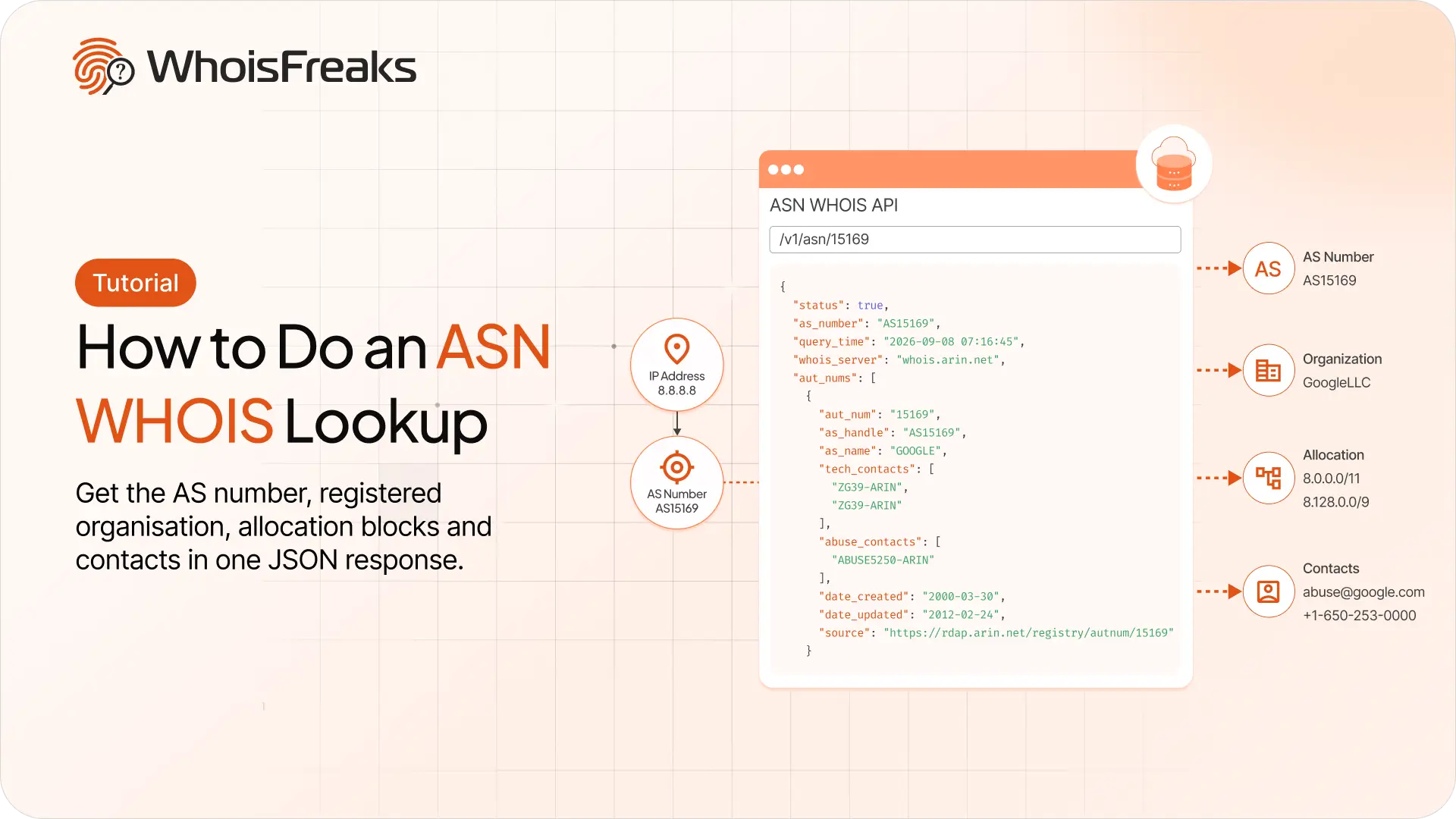
Run an ASN lookup with the WhoisFreaks ASN WHOIS API. Get the AS number, registered organisation, allocation blocks and contacts in one JSON response.
12 min read
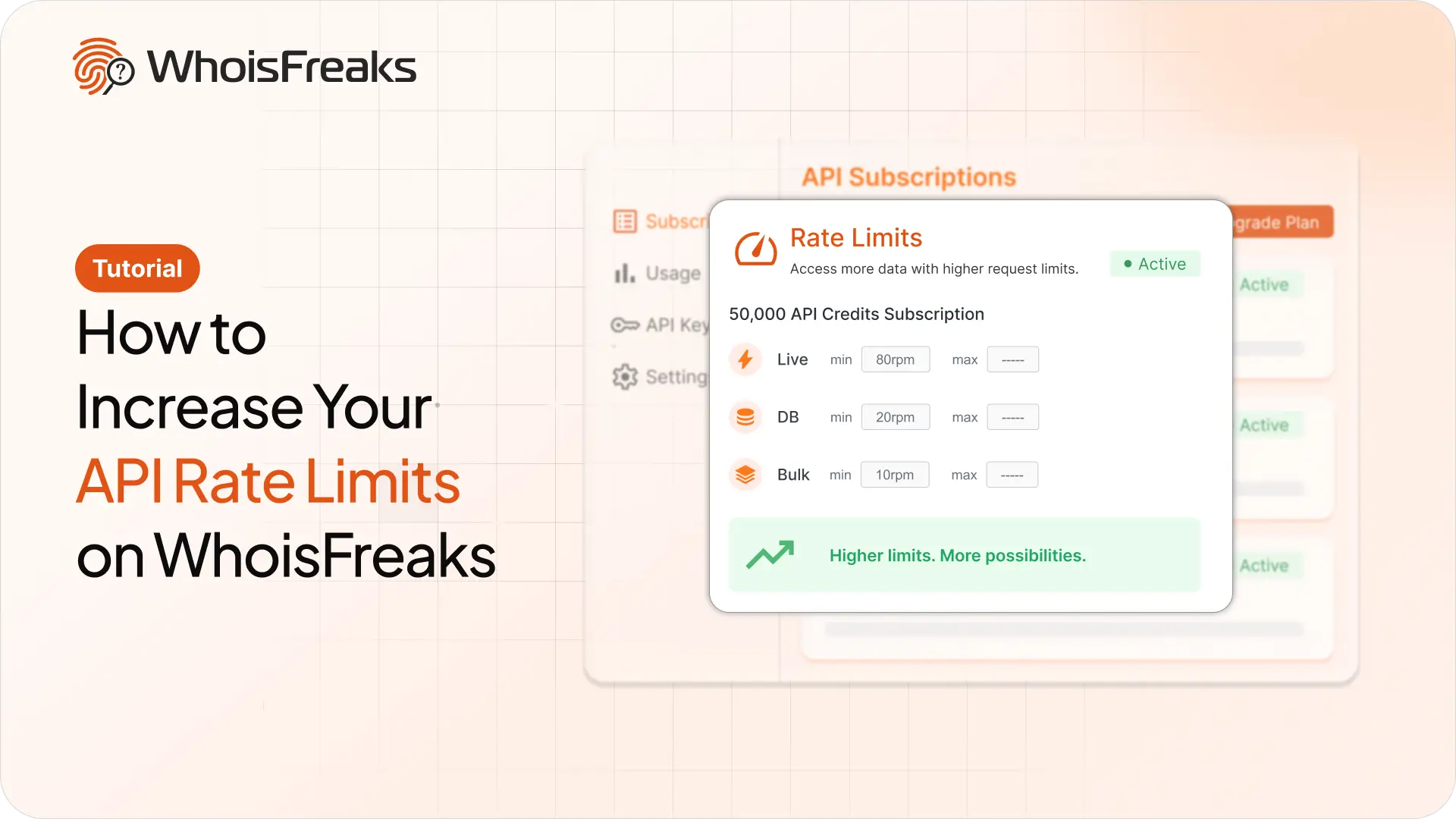
Getting 429s with credits to spare? Raise your requests per minute from the billing dashboard and see what the add-on costs first.
8 min read
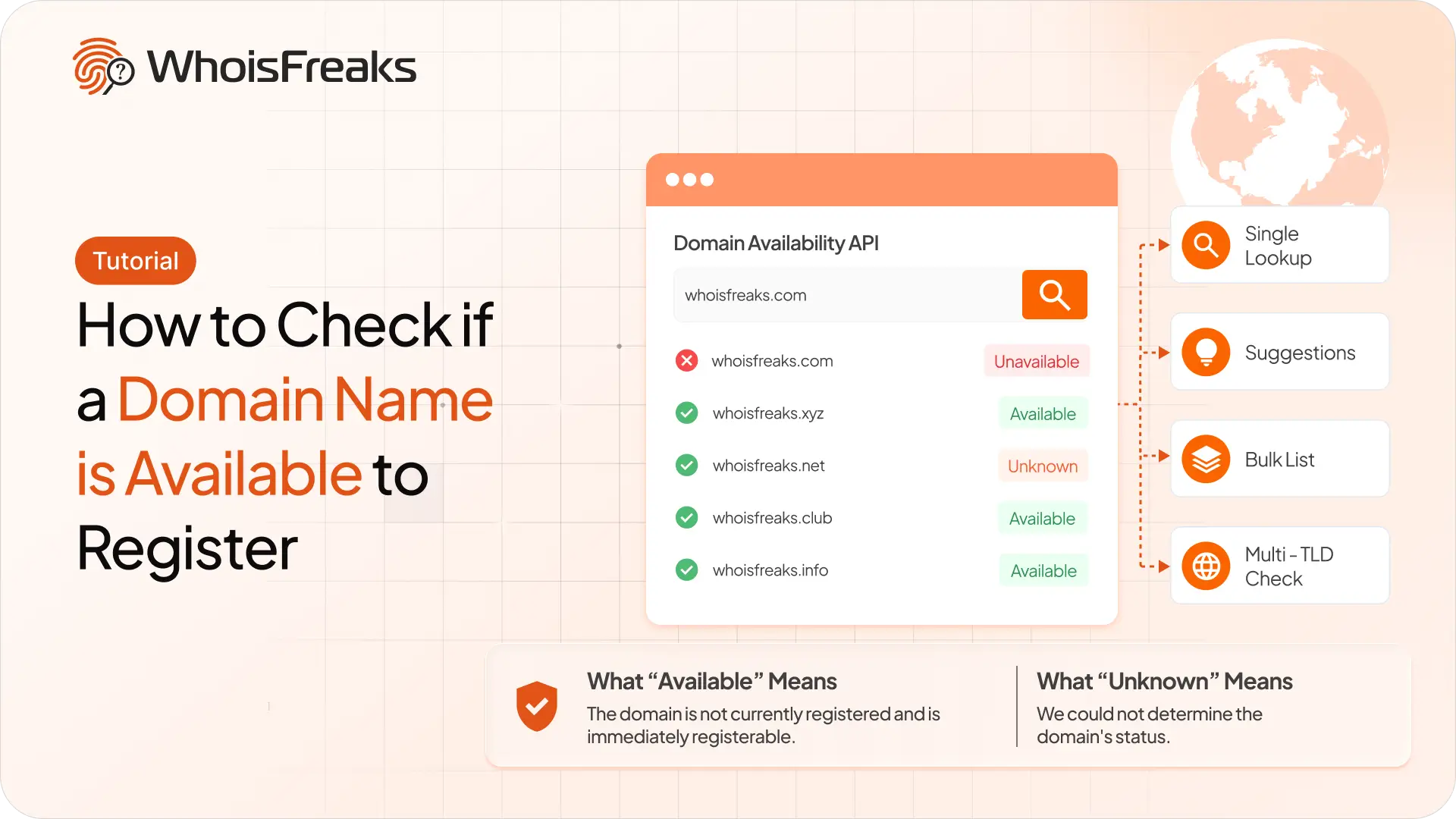
Check whether a domain name is free to register with the WhoisFreaks Domain Availability API - single lookups, suggestions, bulk lists and multi-TLD checks.
10 min read